Short answer: A trial balance lists every ledger's closing balance in a debit or a credit column, and the two totals should agree. If they don't, test the difference: half of it may be an amount posted on the wrong side, and a difference that divides by 9 suggests swapped digits. A balanced trial balance can still hide omissions, wrong accounts and errors of principle.
In Tally or QuickBooks a trial balance always totals, because the software won't save a voucher whose debits and credits differ. The differences that survive are the ones software can't stop: books kept in Excel, opening balances typed in by hand, and entries that balance but go to the wrong ledger.
Here is the method from a recent short tutorial, the Tally version of the problem from a second one, a table of the errors a trial balance does and doesn't show, a worked example, and how an AI agent would run the same checks from the exports.
The tutorial this is based on
TRIAL BALANCE: Explained in (Almost) 2 Minutes! by Accounting Stuff, published 8 February 2026. A short explainer that lists the accounts, totals the columns and finds why one trial balance is out by 7,200: a 1,900 customer receipt posted as a 9,100 credit to interest expense. That entry was itself one-sided, which can only happen in manual or Excel books, since accounting software won't save an unbalanced voucher. We add the classic tests, the suspense account, and Tally's "Difference in opening balances" from SMART Accounting RSNR's Hindi video (here).
How do you prepare a trial balance and find a difference?
- List every ledger account with its closing balance, grouped by type: assets, liabilities, capital, income and expenses. In TallyPrime it's Display More Reports > Trial Balance. In Excel, list the ledgers once with SORT and UNIQUE, and add up each one's debits and credits with SUMIFS.
- Put each balance in the debit column (assets, expenses, drawings) or the credit column (liabilities, capital, income), and total both. The tutorial's totals are 1,211,900 debit and 1,219,100 credit: out by 7,200.
- Test the difference. If it equals one balance, look for a ledger left off the list. Halve it, and look for a posting of that amount on the wrong side. If it divides by 9, look for swapped digits (1,900 as 9,100) or a slipped decimal point.
- Scan for balances on the wrong side. In the tutorial, interest expense shows a credit balance of 5,500, which an expense shouldn't have.
- Open that ledger and read the entries. The tutorial finds a 9,100 credit on 15 March that was really a 1,900 customer receipt: the wrong account and the digits swapped. 9,100 less 1,900 is the whole 7,200, and 7,200 is 800 times 9.
- Correct it with entries, not by overwriting. The tutorial reverses the wrong posting (debit interest 9,100, credit cash 1,900) and posts the right one (debit cash, credit receivables 1,900). Both columns then total 1,213,600.
- If you can't find a difference by the deadline, park it in a suspense account, keep looking, and clear it with a journal when you find the cause.
- In TallyPrime the totals always agree, but a "Difference in opening balances" line appears when the openings don't net to nil. In SMART Accounting RSNR's video, last year's balance sheet goes beside the trial balance and each ledger's opening balance and its debit or credit sign is corrected. Any ledger never created, such as furniture, is created, and last year's closing stock goes in as the opening stock.
- Look for the usual causes: openings typed in before last year's books were final, and a figure keyed wrong, such as 65,414 against 70,414 on the balance sheet in that video. Then check that the difference line has gone.
Trial balance errors: what it shows and what it can't
| Error | Example | Does the trial balance show it? |
|---|---|---|
| One-sided or unequal posting | Cash debited ₹5,000 and nothing credited | Yes, out by the amount |
| Posting on the wrong side | An ₹8,500 debit posted as a credit | Yes, out by twice the amount |
| Swapped digits or a slipped decimal in one posting | ₹1,900 posted as ₹9,100 | Yes, and the difference divides by 9 |
| Totalling or carry-forward error in a ledger | A ledger page added up wrong | Yes, out by the error |
| Balance left off the list, or in the wrong column | A debtor's balance listed as a credit | Yes: out by the balance, or twice it |
| Error of omission | A purchase bill never entered | No |
| Error of commission | A receipt posted to the wrong customer | No |
| Error of principle | A laptop debited to office expenses | No |
| Compensating errors | Sales over-credited by ₹1,000 and wages over-debited by ₹1,000 | No |
| Complete reversal, or the wrong amount on both sides | Debit and credit swapped, or ₹4,500 entered as ₹5,400 on both | No |
A worked example: out by ₹17,000
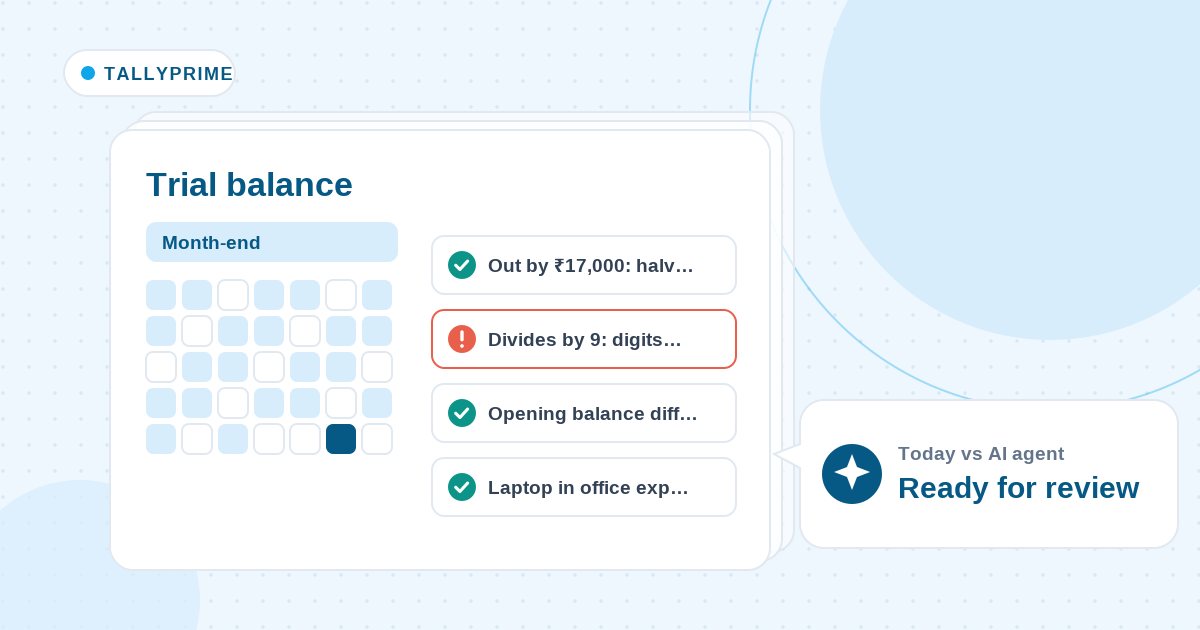
A made-up Nagpur trading firm keeps its books in Excel. At 31 October its trial balance shows debits of ₹46,55,400 and credits of ₹46,72,400: out by ₹17,000. No single balance is ₹17,000, and ₹17,000 doesn't divide by 9 (its digits add up to 8). Half of it is ₹8,500.
The October electricity bill was ₹8,500. In the electricity ledger it was posted on the credit side instead of the debit side, so the ledger shows ₹85,000 instead of ₹1,02,000, and the debit column is short by twice the bill. Correcting the posting puts both columns at ₹46,72,400.
The trial balance now agrees, but a ₹62,000 laptop is still in office expenses. That's an error of principle, and no total will show it. It needs a journal, debit computers and credit office expenses, and then depreciation on the computer.
Where it usually goes wrong
- Taking a balanced trial balance as proof the books are right. It only proves the debits equal the credits.
- Overwriting a wrong figure instead of passing a correcting entry, which leaves no trail.
- Leaving a suspense balance in the year-end accounts. It belongs nowhere in the final statements.
- Typing opening balances into Tally before last year's books are final and never updating them. It is the usual cause of Tally's difference in opening balances.
- Forgetting opening stock in Tally, or entering last year's opening stock instead of its closing stock.
- Checking only the totals. A credit balance on an expense, a debit balance on a creditor or a negative cash balance deserves a look even when the totals agree.
- Clearing a difference into capital or profit and loss to make it go away.
How an AI agent does it
An AI agent here is an assistant each person on the team gets, used from Slack, WhatsApp or a web app. It has its own files, spreadsheets and a browser. It reads exports from Tally (Excel or XML), QuickBooks Online, Xero or Zoho Books, and writes working files in Excel. This section describes how it would run the checks. It asks before it changes, posts or sends anything, and every step is logged.
What you give it
- The trial balance in Excel, with opening balances, debits, credits and closing balances.
- The ledger or day book export for the period, or the ledger workbook if the books are kept in Excel.
- Last year's signed balance sheet (PDF) and last month's trial balance.
- Anything you know is pending: unposted bills, open suspense items, entries waiting for papers.
What it does
- Rebuilds the trial balance from the ledger export and compares it with the report, ledger by ledger, so a totalling error or a missing ledger shows up.
- If the totals differ, runs the standard tests (a balance equal to the difference, half the difference on the wrong side, a difference that divides by 9) and lists the postings that fit each one.
- Lists balances on the unusual side: expenses in credit, debtors in credit, creditors in debit, negative cash or stock.
- Compares each ledger's opening balance with last year's signed balance sheet and lists every mismatch behind Tally's difference in opening balances, with its sign.
- Compares the month with last month, and flags ledgers that moved far more than usual or appear for the first time.
- Reads narrations for likely misposting, such as a customer's name in an interest or expense ledger, or an asset purchase in an expense ledger.
- Drafts the correcting journals and opening balance corrections as an import-ready Excel or XML file, each with its reason.
What it hands back
- A trial balance workbook with formulas, the difference tests and a check cell.
- An exceptions list: wrong-side balances, opening mismatches, odd movements and possible misposting, each with its voucher.
- Draft correcting entries for your team to review and import.
- A suspense schedule if anything is still unexplained, with its age and what has been checked so far.
What it leaves to you
- It doesn't post into Tally or change opening balances itself. Your team imports the corrections after review.
- It doesn't decide whether a payment is capital or revenue, or which customer a receipt belongs to, when the papers don't say.
- It doesn't clear a suspense balance or write off a difference without your approval.
- It can't find an entry that was never made. Omissions need the bills, the bank statement and the people who know.
Today vs with an AI agent
| Step | Today | With an AI agent |
|---|---|---|
| Gathering the inputs | Export the trial balance, and find last year's balance sheet and the ledgers. | You give it the trial balance, the ledger export and last year's signed balance sheet. |
| The working | Total the columns, then scan the ledgers by eye for the difference. | Rebuilds the trial balance from the ledgers and runs the difference tests on every posting. |
| The cross-checks | Openings ticked against last year's balance sheet, line by line. | Compares every opening balance with last year's balance sheet and every ledger with last month. |
| Exceptions | Wrong-side balances get found if someone looks for them. | Lists wrong-side balances, odd movements and narrations that don't match the ledger. |
| The output | A corrected trial balance, with journals typed in by hand. | A workbook, an exceptions list and draft journals in an import-ready file. |
| The review | A senior re-checks the corrections. | A senior reviews each proposed correction and its reason before import. |
| Who signs off | The accountant closing the books. | The same accountant. The agent posts nothing. |
What you still check
- Every correcting entry before it's imported, and the reason given for it.
- The errors a trial balance can't show: omissions, the wrong customer or supplier, capital against revenue.
- Any change to an opening balance. If last year's accounts are signed, the openings should match them, and a change to a closed year needs a reason.
- Suspense balances at the year end. Clear each one or explain it.
- The next checks, which catch what a trial balance can't: a balance sheet reconciliation for each account and the bank reconciliation.
Questions accountants ask
What is a trial balance?
A list of every ledger account's balance at a date, in a debit column and a credit column. The two totals should agree. It is the starting point for the balance sheet and the profit and loss account.
Why does a trial balance not tally?
Usually a one-sided or unequal posting, an amount on the wrong side, swapped digits, a totalling error in a ledger, or a balance left off the list. In accounting software, which won't save an unbalanced voucher, the usual cause is the opening balances.
If a trial balance does not tally, where is the difference transferred?
To a suspense account, for the time being, so the accounts can be drafted. It is cleared with journals once the errors are found, and it shouldn't remain in the final accounts.
How do you make a trial balance format in Excel with formulas?
List the ledgers once with SORT and UNIQUE, total each ledger's debits and credits from the ledger sheet with SUMIFS, and show the net in the debit or the credit column. Add a check cell that takes total credits from total debits; it should read 0.
What is the difference between a trial balance and a balance sheet?
A trial balance is an internal list of every ledger, income and expenses included. A balance sheet is a financial statement of assets, liabilities and equity at a date, in a set format, such as Schedule III for companies.
What is the difference between a trial balance and a general ledger?
The general ledger holds every entry in every account. The trial balance is a one-line summary of each account's balance.
Hand this job to an agent
Bring one of your own files to a 30-minute call and watch an agent do this job.
Book a 30-min demo