Short answer: A month of bookkeeping in Xero means coding every bank, savings and card line, matching transfers between your own accounts, attaching receipts and reconciling each account to its statement before you close the period. Watch for processors that pay out net of fees, lines the feed imported twice and transfers coded as expenses. An AI agent can do the first pass from the exports.
Most of a month in Xero is routine: the same vendors, the same rules, the same transfers. The time goes on the few lines that are not routine, and on finding them among a hundred that are.
Here is the monthly routine from a recent Xero tutorial, then an agent doing October for a small studio from the exports, including the two things it missed at first.
The tutorial this is based on
Xero Tutorial: How to Do a Month of Bookkeeping in Xero by Financial Tech Lab by Clara CFO Group, published 25 May 2026 (in English). A 22-minute walk through Xero's monthly routine, from coding the feed to closing the period.
How do you do a month of bookkeeping in Xero?
- Code the bank and card lines in the bank feed. Xero suggests the account you used last time for the same payee.
- Create bank rules for transactions that come every month, such as software, ads and merchant fees.
- Attach receipts to the transactions they belong to.
- Fix a line that was coded wrongly: unreconcile it, then use Remove & Redo and code it again.
- Match transfers between your own accounts, such as money moved to a tax savings account, so they are not booked as income or expense.
- Reconcile each account for the period: check the opening balance against the bank statement, enter the closing balance and confirm the difference is zero.
- Review the reports before you close the period, because closing locks the transactions.
Where it usually goes wrong
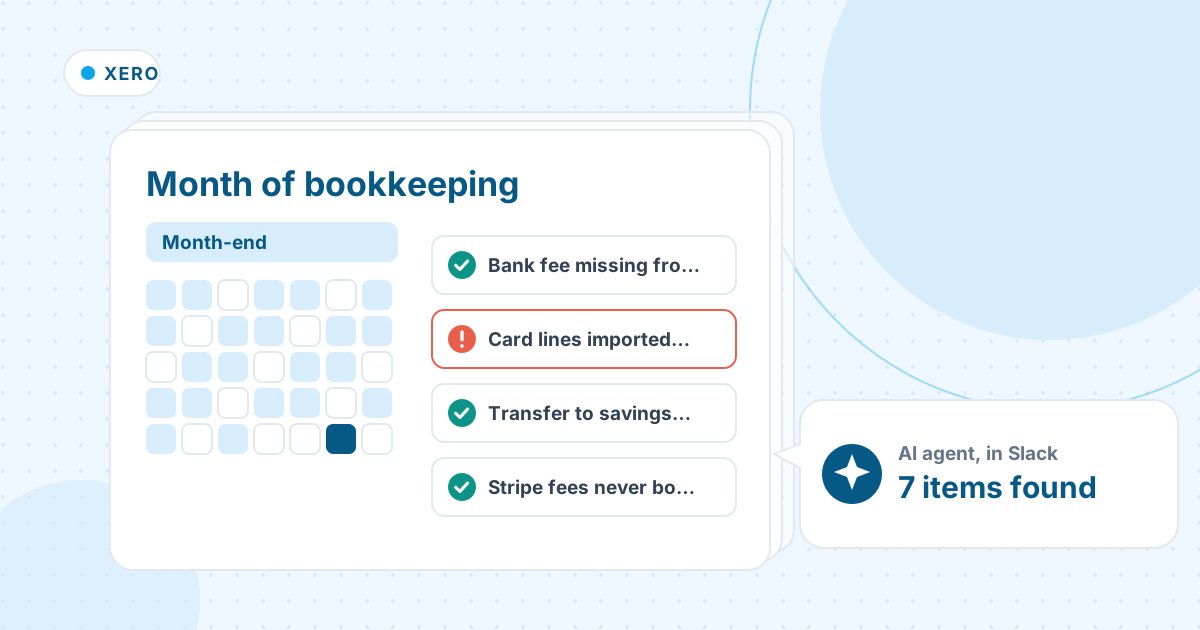
- A processor such as Stripe pays out sales minus its fees. A bank rule that codes the payout to sales understates both sales and fees.
- A transfer to your own savings account coded as an expense.
- The same line imported twice by the feed, which throws the card balance off.
- A bank fee that never came through the feed, so the account is a few dollars off at month-end.
- Card charges over your receipt limit with nothing attached.
How an AI agent does it from Slack
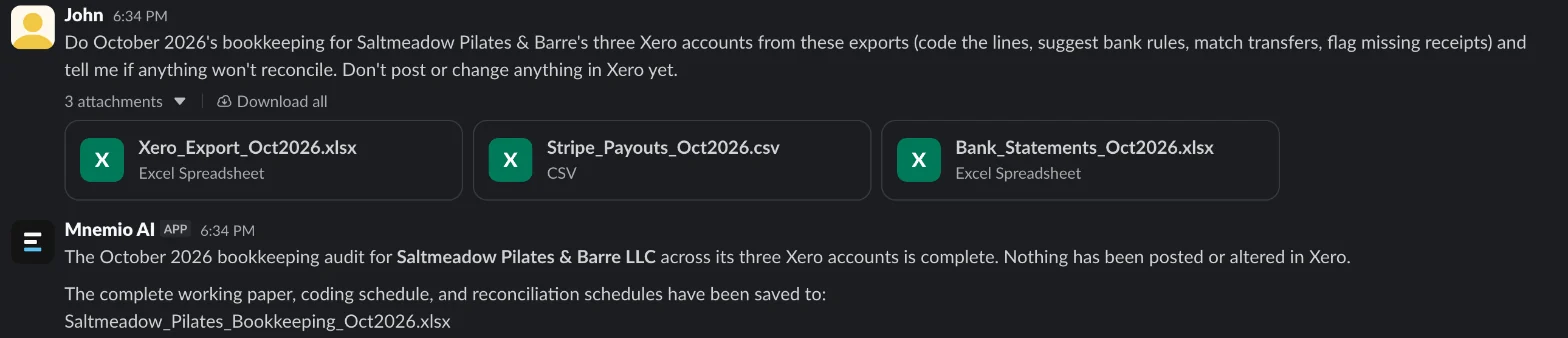
We gave the agent three exports for a made-up pilates studio, Saltmeadow Pilates & Barre: October's statements for checking, savings and a business card; a Xero export with the statement lines, chart of accounts, bank rules and receipts inbox; and the Stripe payout report. Every company, name, tax number and amount in these files is made up. The agent works in Slack, where it shows up as Mnemio AI, because Accountant AI is built on Mnemio AI.
What the agent did
- Coded the 72 lines still to reconcile across checking, savings and the card, and suggested seven new bank rules.
- Worked out Stripe's October gross sales ($16,548.00) and fees ($527.70) from the payout report, and proposed booking the fees instead of coding net payouts to sales.
- Found three card lines the feed had imported twice, and the $12.40 bank fee that never reached Xero.
- Matched the card payment and the transfers to savings, and listed four card charges of $75 or more with no receipt.
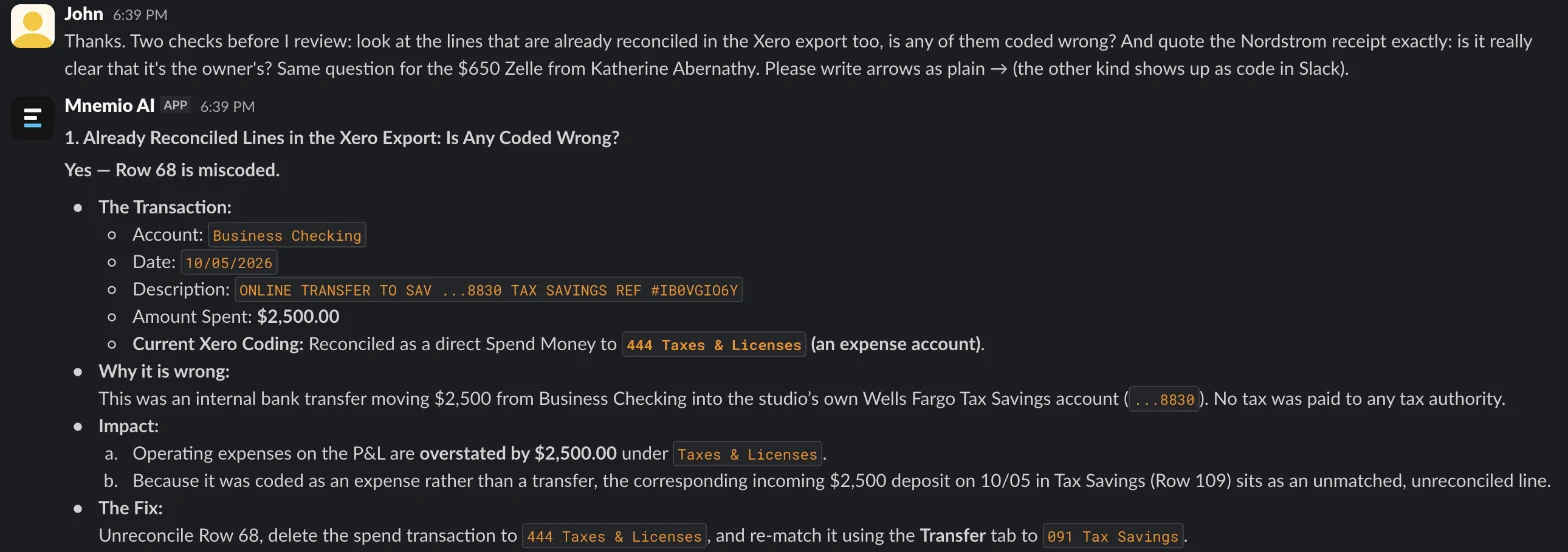
- Missed, in its first reply, a $2,500 transfer already reconciled to Taxes & Licenses, and described a Nordstrom receipt wrongly. A follow-up asking it to check the reconciled lines and quote the receipt fixed both.
- Left a $650 payment from a customer for the owner to explain, and changed nothing in Xero.
What it found
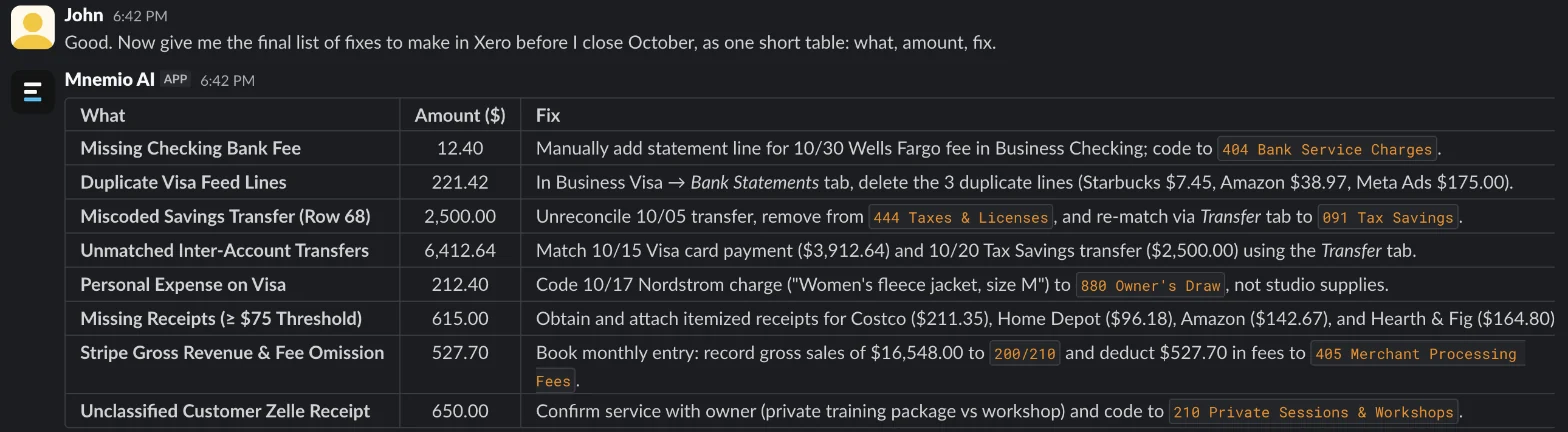
| Item | Amount ($) | Fix |
|---|---|---|
| Bank fee missing from the feed (checking) | 12.40 | Add the statement line, code to Bank Service Charges |
| Card lines imported twice | 221.42 | Delete the three duplicate statement lines |
| Transfer to savings reconciled as Taxes & Licenses | 2,500.00 | Unreconcile, redo as a transfer to Tax Savings |
| Stripe fees never booked (payouts coded net) | 527.70 | Book gross sales of 16,548.00 and the fees |
| Card charges of $75 or more with no receipt | 615.00 | Get and attach the four receipts |
| Jacket bought on the business card | 212.40 | Owner's Draw, unless it is a staff uniform |
| Payment received with no description | 650.00 | Ask the owner what it was for |
What you still check
- Whether the jacket was personal or a staff uniform. The agent treated it as personal.
- The $650 payment from a customer, before it is coded as income.
- The new bank rules, before you save them in Xero.
- Each account's reconciliation in Xero before you close the period.
Questions accountants ask
Can the agent work in Xero itself?
Here it worked from exports, so nothing changed in Xero. It can also use a browser, where you sign in yourself, and it asks before it changes anything.
Why do Stripe payouts need splitting?
Stripe pays out sales minus its fees. If the payout is coded straight to sales, both sales and fees are understated. Book gross sales and fees from Stripe's payout report, or run payouts through a clearing account.
Can it do this every month?
Yes. Agents can run on a schedule, so the first pass and the questions for the owner can be ready on the first working day of each month.
Hand this job to an agent
Bring one of your own files to a 30-minute call and watch an agent do it.
Book a 30-min demo