Short answer: TDS on purchase of goods is now section 393(1) Table Sl. 8(ii) (it was 194Q). A buyer whose business turnover was over ₹10 crore in the preceding tax year deducts 0.1% once its purchases from one seller pass ₹50 lakh in the tax year, on the part above ₹50 lakh only. Without the seller's PAN the rate is 5%. It is reported under code 1031.
TDS on purchase of goods is a small rate on large sums, and the work is in the counting. The ₹50 lakh is per seller, so purchases are added up by PAN across every ledger the seller appears under, in date order, to find the bill that crosses it. Only the part above ₹50 lakh is taxed, unlike most rows in the TDS rate chart, and the rate is 0.1%, though several popular videos still say 1%.
This post follows a recent tutorial that builds the seller-wise working from the TallyPrime purchase register in Excel for tax year 2026-27 (FY 2026-27). It adds what the tutorial leaves out (the buyer test, the crossing bill, advances, GST, purchase returns) and works an example, then explains how an AI agent would do the same working.
The tutorial this is based on
TDS on Purchase of Goods in Tally Prime | ₹50 Lakh Limit, Calculation & Entry by PeRfEcT AcCoUnTiNg SoLuTiOn, published 21 October 2026 (in Hindi). He exports the TallyPrime purchase register, totals each seller's taxable purchases by PAN in a pivot table, keeps the sellers above ₹50 lakh, works out the TDS bill by bill for September and ties it to the TDS ledger, quoting section 393(1) Table Sl. 8(ii). He says 1% aloud, but his formula multiplies by 0.001: the rate is 0.1%. He doesn't show the bill on which a seller's total crosses ₹50 lakh, where only the excess is taxed, so we added it. Dagesh The Educator's automatic method in TallyPrime (12 May 2026, in Hindi) is useful for the settings, but it labels the section 194Q; for a 2026-27 purchase it is 393(1) Sl. 8(ii), code 1031.
How do you work out TDS on purchase of goods?
- Check the buyer test. Only a buyer whose sales, gross receipts or turnover from business were over ₹10 crore in the preceding tax year deducts, so for tax year 2026-27 look at 2025-26. The seller's turnover doesn't matter.
- Export the purchase register from TallyPrime (Display, Account Books, Purchase Register) to Excel, from 1 April to the month you are working. The tutorial presses F8 and Ctrl+A so each voucher shows its party, date and PAN.
- Use the taxable value, without GST, when you deduct at credit and the bill shows GST separately. The tutorial fills in the blank taxable values of tax-free purchases with an IF formula.
- Build a pivot table with PAN first and party second, summing the taxable value, so a seller's several ledgers or units add up. A blank PAN row is a party with no PAN in Tally: fix the master.
- Filter for PANs above ₹50,00,000 and copy them to a new sheet. Keep sellers close to the limit on a watch list.
- List each in-scope seller's bills in date order with a running total. On the bill that passes ₹50 lakh, deduct 0.1% of the excess only, then 0.1% of every later bill. Unlike professional fees, the earlier bills aren't caught up. The tutorial taxes all of September for sellers already past the limit, which is right after the crossing.
- Deduct at credit or payment, whichever is earlier: an advance is taxed when paid, on the whole payment with GST, and its invoice isn't taxed again. A refund for returned goods can be set against the next purchase from that seller; a replacement needs nothing.
- Book the TDS (debit the seller, credit the TDS ledger) and tie the month to the TDS ledger. The tutorial books one month-end journal, but the date of deduction should be each bill's credit date. For automatic deduction, Tally's help for TallyPrime 5.0 and later sets 0.1% with PAN, 5% without and a 50,00,000 threshold, taxing only the value above it.
- Deposit by the 7th of the next month (30 April for March) and report in Form 140 under code 1031, the first ₹50 lakh with flag Y. The October to December return is due 31 January 2027.
TDS on purchase of goods (194Q): the rules for tax year 2026-27
| Point | Rule | Source |
|---|---|---|
| Section now (old) | 393(1) Table Sl. 8(ii) (194Q); return code 1031 | Section 393(1); Form 140 file format |
| Who deducts | A buyer whose business turnover was above ₹10 crore in the preceding tax year | Section 402(6) |
| Threshold | Purchases from one seller above ₹50 lakh in the tax year | Section 393(1) Table Sl. 8(ii) |
| Amount taxed | Only the part above ₹50 lakh | Note 1(b) to the Table |
| Rate | 0.1%; 5% if the seller has no PAN | Sections 393(1) and 397(2) |
| When | At credit or payment, whichever is earlier; advances included | Section 393(1)(c) |
| GST | Left out if TDS is at credit and GST is shown separately; included on advances | CBDT Circular 13/2021, as the official tutorial page restates it |
| Not applicable | Where TDS or TCS applies under another provision, such as e-commerce TDS or TCS on scrap | Note 1(a) to the Table |
A worked example: one seller through the year
A made-up Surat yarn trader had turnover of ₹42 crore in 2025-26, so it is a buyer for tax year 2026-27. It buys from one spinning mill, with GST at 18% shown on each bill. Bills of ₹18,00,000 on 10 April and ₹22,50,000 on 22 May take the running total to ₹40,50,000: no TDS yet.
The 8 July bill of ₹14,00,000 takes the total to ₹54,50,000. Only the ₹4,50,000 above ₹50 lakh is taxed, so the TDS is ₹450, not ₹1,400. The 19 August bill of ₹9,00,000 is taxed in full: ₹900. On 25 September the trader pays an advance of ₹5,90,000 before any invoice and deducts 0.1% of the whole payment, ₹590. When that invoice arrives, nothing more is deducted on the part already taxed.
TDS for the year so far is ₹1,940. In Form 140 the first ₹50 lakh goes in with flag Y and the rest under code 1031. Had the mill given no PAN, the two bills would carry 5% of ₹13,50,000, which is ₹67,500 instead of ₹1,350. A second mill stands at ₹48,00,000, so its next bill above ₹2,00,000 crosses the limit.
Where it usually goes wrong
- Using 1%. The rate is 0.1%, as the tutorial's own formula shows.
- Totalling per ledger when one seller has several ledgers or units. Add up by PAN.
- Taxing the first ₹50 lakh, or the whole of the bill that crosses it. Only the part above ₹50 lakh is taxed.
- Including GST on a bill that shows it separately and is credited before it is paid.
- Applying the ₹10 crore test to the seller, or to the current year. It is the buyer's turnover in the preceding tax year.
- Carrying the running total into a new tax year, where the ₹50 lakh starts again, or deducting on an advance and again on its invoice.
- Waiting for the seller to collect TCS instead. TCS on sale of goods (old 206C(1H)) stopped from 1 April 2025, though TCS on specific goods, such as scrap, switches 194Q off for that purchase.
How an AI agent does it
The agent here is an assistant of your own, reached from Slack, WhatsApp or a web app, with its own files, spreadsheets and a real web browser. It works from the purchase register and ledgers you export from Tally, builds the seller-wise working in Excel, and stops to ask before it changes, posts, pays or files anything, logging each step. This section sets out how it would handle 194Q for a buyer; the sections after it cover what it can get wrong.
What you give it
- The purchase register for the tax year to date, exported from TallyPrime to Excel, with party, PAN, taxable value and GST for each bill
- The party masters with PAN, GSTIN and deductee type
- Debit notes and purchase returns, and the advances paid before an invoice
- The TDS ledger, the buyer's turnover for 2025-26, and the sellers you treat as excluded, such as government sellers
What it does
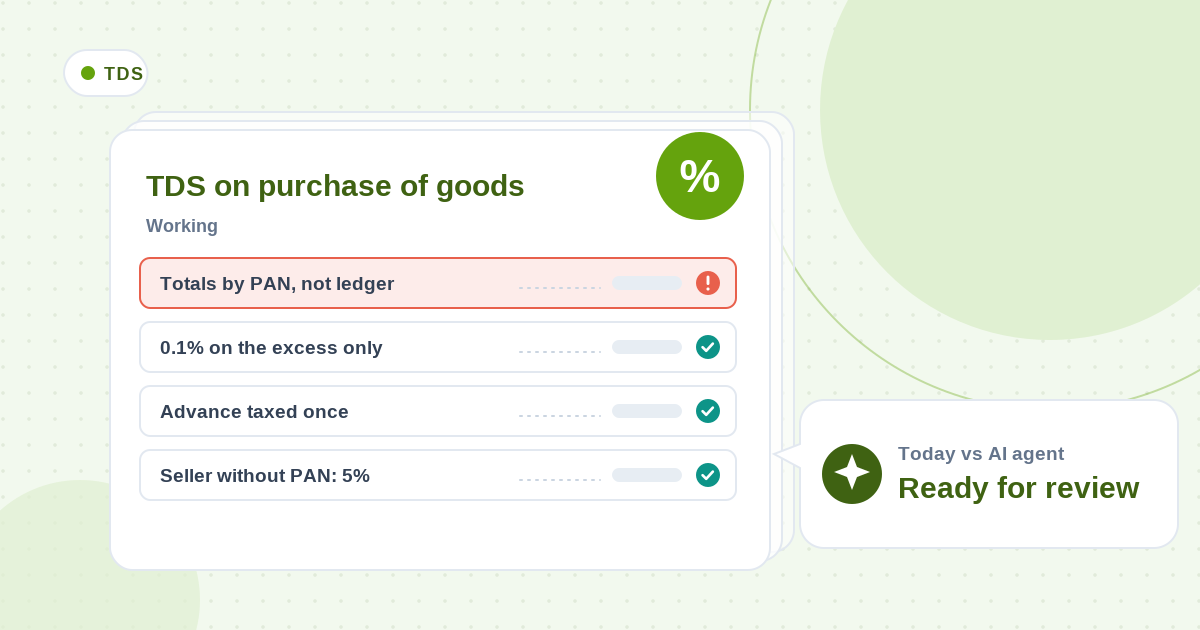
- Adds up purchases by PAN, not by ledger, so a seller's units and duplicate ledgers count together.
- Puts each seller's bills in date order, finds the bill where the total passes ₹50 lakh, and works out 0.1% of the excess on it and of each later bill.
- Takes each advance at the whole payment and checks its invoice isn't taxed again.
- Sets refunds for returned goods against the next purchase from that seller, and leaves replacements alone.
- Flags sellers without a PAN at 5%, sellers near the limit, TDS taken on the total with GST, and deductions booked as 194Q instead of the new reference.
- Ties its total to the TDS ledger month by month, and prepares catch-up entries as import-ready Excel or XML.
- Keeps each seller's PAN and running total in the firm's shared memory, and can run on the 3rd of every month.
What it hands back
- A seller-wise schedule: purchases to date, the crossing bill, the TDS due on each bill, the TDS booked and the difference
- A watch list of sellers close to ₹50 lakh
- An exceptions list: no PAN, GST included, double deductions on advances, old references
- Import-ready entries for any shortfall, and the Form 140 rows with code 1031 and flag Y
What it leaves to you
- Confirm the buyer test. It uses the turnover figure you give it.
- Decide an exclusion, such as a seller who collects TCS or a government seller.
- Post entries into Tally, pay the TDS or file the return.
Today vs with an AI agent
| Step | Today | With an AI agent |
|---|---|---|
| Gathering the inputs | You export the purchase register, party masters and TDS ledger, and find last year's turnover. | You give it the same exports and the turnover. It keeps each seller's PAN in the firm's shared memory. |
| The working | A pivot of purchases by PAN, then TDS bill by bill for sellers above ₹50 lakh. | It totals purchases by PAN in date order and works out 0.1% from the crossing bill. |
| The cross-checks | The month's TDS sheet against the TDS ledger. | It ties its figure to the TDS ledger each month and checks every advance against its invoice. |
| Exceptions | Spotted if someone notices a missing PAN or a seller nearing the limit. | It lists missing PANs, sellers near the limit, deductions on GST, double deductions and old references. |
| The output | A journal for the month's TDS and the Form 140 rows. | A seller-wise schedule, a watch list and import-ready entries for your team. |
| The review | A senior checks the larger sellers. | You check the crossing bills, GST treatment, advances and exclusions. |
| Who signs off | The accountant or the client pays the TDS and files the return. | You pay and file. It stops before anything is posted, paid or submitted. |
What you still check
- That purchases are added up by PAN, and the crossing bill for each seller.
- The GST treatment of each bill, and every advance against its invoice.
- The buyer's turnover for 2025-26, kept on file with the working.
- The sellers it treats as excluded, and purchase returns against later bills.
- Code 1031 and flag Y in the Form 140 rows before the return is filed.
Questions accountants ask
What is the new section for 194Q?
Section 393(1), Table serial 8(ii), of the Income-tax Act 2025, for amounts credited or paid from 1 April 2026; code 1031 in Form 140.
What is the 194Q TDS rate and limit?
0.1% once purchases from one seller pass ₹50 lakh in the tax year, on the part above ₹50 lakh only; 5% without the seller's PAN.
What is the 194Q applicability turnover limit?
The buyer's sales, gross receipts or turnover from business must have been over ₹10 crore in the preceding tax year: for 2026-27, in 2025-26.
Is GST included for TDS on purchase of goods?
Not if TDS is deducted when the bill is credited and GST is shown separately. An advance paid before the invoice is taxed on the whole payment.
When does TDS on purchase of goods not apply?
Where TDS or TCS applies under another provision, such as e-commerce TDS or TCS on scrap. The CBDT's 2021 circulars also leave out government sellers and sellers whose income is wholly exempt; old circulars carry over under section 536(2)(j) so far as they fit the new Act, but none has been re-issued, so check first.
Does the agent deduct or pay the TDS?
No. It builds the working and the entries; your team imports them, and you pay and file.
Hand this job to an agent
Bring one of your own files to a 30-minute call and watch an agent do this job.
Book a 30-min demo