Short answer: A salary slip format in Excel carries the employer and employee details, the month, days paid and loss-of-pay days, each earning, each deduction (PF, ESI, professional tax, TDS), gross pay, total deductions and net pay in figures and words. Keep one register row per employee, make every slip from that row with a lookup or a Word mail merge, and check that gross minus deductions equals net.
A salary slip is easy to design and easy to get wrong. The layout is done once. The errors come every month: a loss-of-pay day the register missed, PF still capped at the old ceiling, a slip emailed to the wrong person.
This post follows a recent tutorial that makes one slip per employee from a salary sheet in Excel and adds the formulas and checks it leaves out. Then it explains how an AI agent builds and checks the month's slips and drafts the emails, leaving the send to you.
The tutorial this is based on
salary slip - Multiple Salary Slip in Excel | सैलरी स्लिप कैसे बनाएं | Excel with Rahul Chaudhary by Excel with Rahul Chaudhary, published 27 September 2026 (in Hindi). It lays out a salary sheet in Excel, designs the slip once in Word and uses mail merge to make 15 slips, one per employee. PF and ESI are typed in, not worked out, and the video calls deductions “expenses”. We added the formulas, the ₹25,000 PF wage ceiling and the checks. For slips that stay in Excel, DATAMENTIX’s Fully Automatic Payroll Management System in Excel (9 May 2026) pulls one employee at a time onto a slip sheet with VLOOKUP; its PF formula has no wage ceiling.
How do you make a salary slip format in Excel for every employee?
- Lay out the salary register, one row per employee: code, name, designation, PAN, UAN, ESIC number, email, days in the month, loss-of-pay (LOP) days, days paid, each earning, each deduction, gross pay, total deductions and net pay. The video's sheet has only the pay columns.
- Work earned pay with formulas: each monthly rate times days paid divided by days in the month, rounded to the rupee with =ROUND(…,0).
- Work the deductions too. PF wages are earned basic plus DA, capped at ₹25,000 a month from 17 September 2026 under S.O. 5109(E) (it was ₹15,000): =MIN(basic+DA,25000). ESI applies only to employees marked as covered. Professional tax comes from your state's slab and TDS from your TDS on salary working.
- Net pay is gross minus total deductions. Add a column with net pay in words, and total the register so it can be tied to the bank transfer file.
- Design the slip once in Word, as the video does: employer, month, employee details, days paid and LOP days, earnings and deductions side by side, then net pay in figures and words.
- In Word, go to Mailings, Select Recipients, Use an Existing List, and pick the register. Insert each merge field and give the number fields a format.
- Preview Results and check a few slips against the register. Then Finish and Merge, Edit Individual Documents, for one slip per employee in a single Word file.
- To stay in Excel, build a slip sheet with an employee-code cell and VLOOKUP formulas that pull each field from the register (the DATAMENTIX method). Change the code and print each slip.
Salary slip format: the fields a slip carries
| Part of the slip | Fields | What to check |
|---|---|---|
| Header | Employer name and address, 'Salary slip for November 2026' | The month matches the register |
| Employee details | Name, code, designation, department, date of joining, PAN, UAN, ESIC number, bank account (last four digits) | UAN and ESIC number for everyone covered |
| Attendance | Days in the month, days paid, LOP days | Days paid plus LOP days equals days in the month |
| Earnings | Basic, DA, HRA, special allowance, overtime, arrears, gross earnings | Each is the monthly rate times days paid over days in the month |
| Deductions | PF, ESI, professional tax, TDS, loan or advance recovery, total deductions | PF wages no more than ₹25,000; ESI only if covered |
| Net pay | Net pay in figures and in words | Gross minus deductions equals net; the words match |
| Employer's share (optional) | Employer PF and ESI, for information | Not taken off net pay |
A worked example
An employee at a made-up trading firm earns a monthly basic of ₹18,000, HRA of ₹7,200 and a special allowance of ₹4,800: ₹30,000 a month. November 2026 has 30 days and attendance shows 2 LOP days, so 28 days are paid.
Earned pay is each rate times 28/30: basic ₹16,800, HRA ₹6,720, special allowance ₹4,480, gross ₹28,000. PF wages are the ₹16,800 earned basic, under the ceiling, and the register works PF at ₹2,016. The register shows professional tax of ₹200 and no TDS, so deductions are ₹2,216 and net pay ₹25,784: Rupees twenty-five thousand seven hundred and eighty-four only.
Had the register missed the LOP days, gross pay on the slip would be ₹2,000 too high. For someone on a basic of ₹40,000, PF wages should read ₹25,000 unless your firm has chosen to pay PF on full basic.
Where it usually goes wrong
- PF still capped at ₹15,000 in a formula or the payroll settings, or not capped at all, as in the backup video.
- LOP days on the attendance sheet but a full month's pay in the register.
- Deductions typed in instead of worked, so a change in days paid never reaches PF or net pay. The main video types PF and ESI in.
- Merge fields showing 4479.999 or 16800 without commas, because Word takes the raw cell value. Round in Excel and format each number field.
- Net pay in words that doesn't match the figure, or written the Western way (one hundred twenty thousand) instead of in lakhs.
- One merged Word file of every slip, split and emailed by hand: the usual way a slip, with its PAN and pay, reaches the wrong person.
- The labour codes have been in force since 21 November 2025. The Code on Wages requires wage slips, and the codes' definition of wages (the 50% rule on allowances) can change the PF and gratuity base. Neither video covers it.
How an AI agent does it
Here an AI agent is an assistant each person on the team gets, used from Slack, WhatsApp or a web app. It has its own files, spreadsheets and a web browser, reads the Excel files you give it and writes working files in Excel. This section describes how it would make and check a month's slips. It asks before it changes or sends anything, logs every step, can run on a schedule (say the last working day of each month) and keeps the firm's slip layout and payroll rules in shared memory.
What you give it
- The month's salary register, exported to Excel from Tally or your payroll software.
- The attendance or leave sheet with each employee's LOP days.
- The employee master: code, designation, PAN, UAN, ESIC number, bank account's last four digits, email.
- Your slip template or last month's slip, the month's TDS working and the bank transfer file.
What it does
- Matches the register, attendance sheet and employee master by employee code, and lists anyone missing from one of them, such as a joiner with no master row.
- Checks that days paid plus LOP days equals the days in the month, and that the LOP days match attendance.
- Recomputes earned pay from the monthly rates and days paid, and compares each earning with the register.
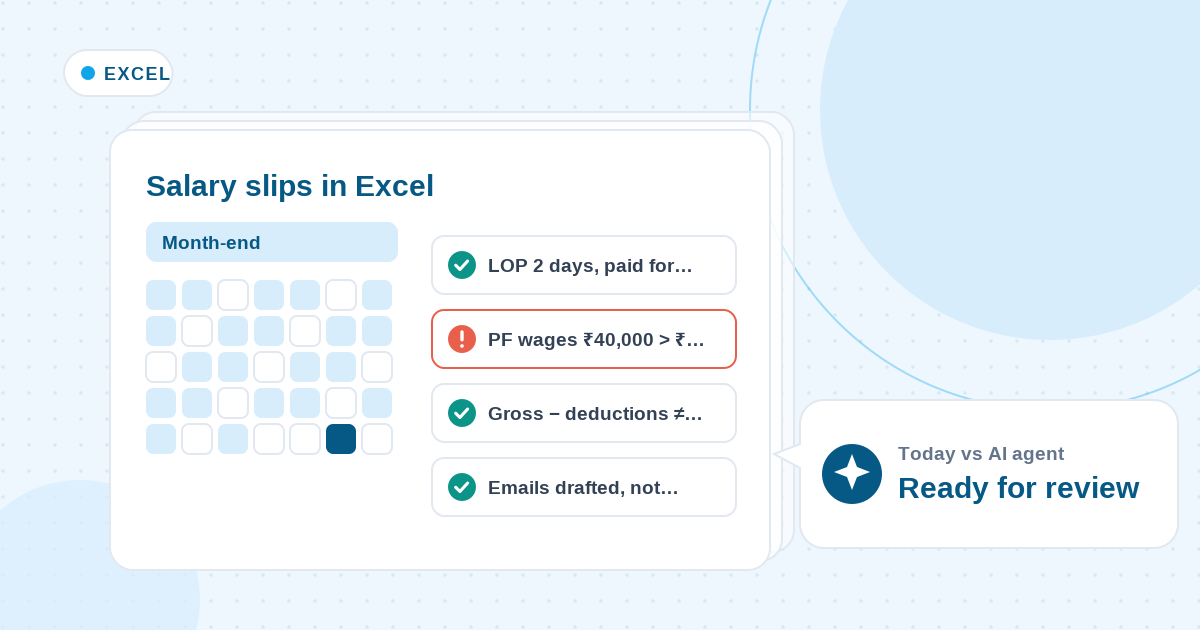
- Checks deductions: PF wages capped at ₹25,000 (any PF on more is flagged for you), ESI only for covered employees, professional tax against the slab saved for the firm, TDS against your working.
- Checks every slip: gross minus deductions equals net, the words match the figure, and total net pay ties to the register and the bank file.
- Builds one slip per employee in your layout: a workbook with a sheet each, and a file per slip.
- Drafts one email per employee with their slip attached, lists each address next to its slip, and asks before sending any.
What it hands back
- The slips: a sheet per employee, and one file per employee ready to attach.
- An exceptions list: each slip that failed a check, the register's figure, its own figure and the reason.
- A tie-out of register totals against the slips and the bank transfer file.
- Draft emails, one per employee, waiting for your yes.
What it leaves to you
- It doesn't change the salary register or the payroll run. It lists the differences for you to fix.
- It sends no slip until you approve the addresses and drafts.
- It doesn't decide judgement calls: ESI cover after a pay change, PF above the ceiling, a disputed LOP day.
- It doesn't pay salaries or file PF or ESI returns.
Today vs with an AI agent
| Step | Today | With an AI agent |
|---|---|---|
| Gathering the inputs | Someone exports the register and copies attendance and employee details into one sheet. | You give it the register, attendance sheet and employee master. It matches them by employee code. |
| The working | Earnings and deductions typed or worked in Excel; the slip designed once in Word or Excel. | It recomputes earned pay from rates and days paid and rebuilds each deduction. |
| The cross-checks | Usually a glance at a few slips before the merge. | Every slip: gross minus deductions equals net, PF against the ₹25,000 ceiling, ESI cover, LOP days against attendance. |
| Exceptions | Found when an employee queries their slip. | Listed before any slip goes out, with both figures and the reason. |
| The output | Mail merge or VLOOKUP gives the slips; someone splits and emails them one by one. | One slip per employee in your layout, a tie-out to the register and bank file, and draft emails. |
| The review | A payroll person spot-checks a few slips. | You review the exceptions, a sample of slips and the address list. |
| Who signs off | The payroll or accounts head. | The same person. Nothing is sent until they say yes. |
What you still check
- Every exception, before anyone changes the register. Agents can get a payroll rule wrong: in the TDS on salary walkthrough an agent got employer NPS backwards until asked.
- ESI cover for anyone whose gross pay changed, against ESIC's current wage limit and contribution period.
- Whether your firm pays PF above ₹25,000, and that the ECR uses the same wages (see the PF ECR post).
- Disputed LOP days, with the manager who approved the leave.
- The address list, slip by slip, before you approve sending.
- After pay day, the register against the ledger and the bank, as in payroll reconciliation.
Questions accountants ask
How do I make a salary slip format in Excel with formulas?
Keep one register row per employee. Work each earning as the rate times days paid over days in the month, then net pay as gross minus deductions. Pull each employee onto a slip sheet with VLOOKUP by code, or mail merge the register into Word.
How do I show PF and ESI on a salary slip?
As deduction lines from the register. PF wages are capped at ₹25,000 a month from 17 September 2026, and ESI applies only to employees covered under ESIC's wage limit. Show any employer's share separately, for information.
Can I make a salary slip format in Excel without PF and ESI?
Yes, for an employee or establishment that isn't covered. Leave those lines out or show them as nil, and keep every other field.
How do I generate all the salary slips automatically?
Mail merge from the Excel register into a Word slip gives every slip in one go, as in the tutorial. A VLOOKUP slip sheet gives one at a time. Check the totals before anything is sent.
Does the agent email the slips by itself?
No. It drafts one email per employee and shows you the addresses. It sends nothing until you approve.
Hand this job to an agent
Bring one of your own files to a 30-minute call and watch an agent do this job.
Book a 30-min demo