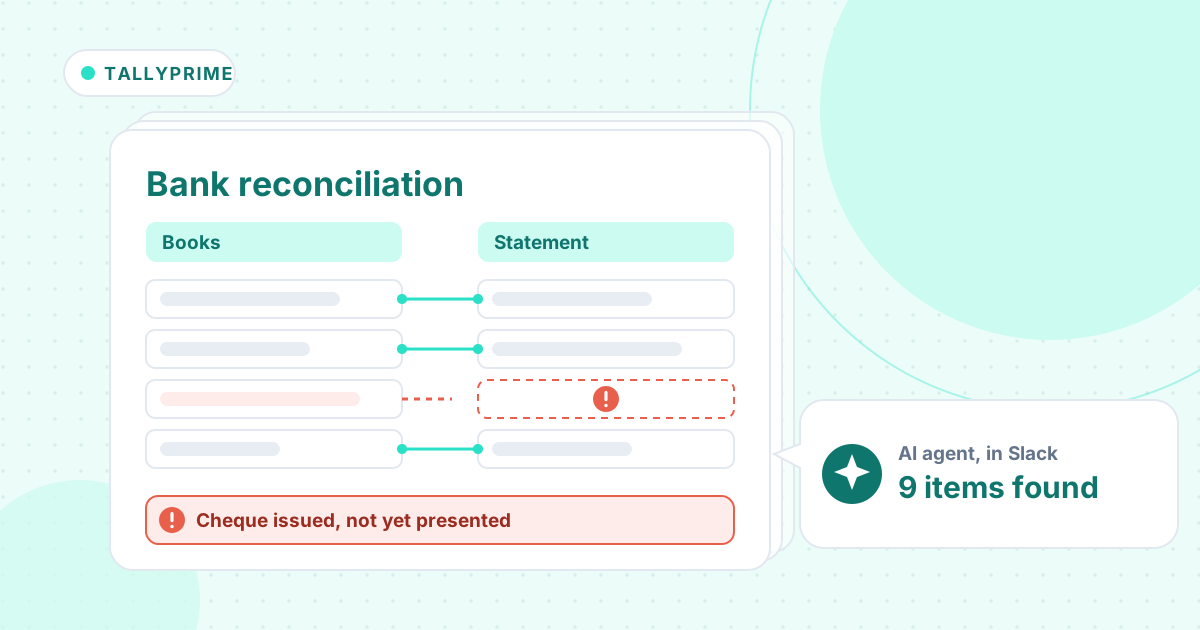
Short answer: Payroll reconciliation checks that the payroll register, the general ledger and the bank tell the same story: gross wages and employer costs in expense, withholdings and benefits in liabilities, and every provider withdrawal against a payroll. Keep timing items, such as a remittance paid next month, apart from errors, and never plug a difference. An AI agent can do it from the register, GL and bank exports.
Payroll is the biggest cost for most firms, and it usually reaches the books through an import or a hand-keyed journal. When the payroll provider and the ledger drift apart, it shows up as a payroll clearing account that won't go to zero.
Here is the method from a recent tutorial, then an agent reconciling October for a 48-person fabrication shop with three payroll runs.
The tutorial this is based on
Payroll Reconciliation Explained: Payroll Report to GL & Bank by OBG Outsourcing, published 23 September 2026 (in English). A 10-minute walk through a worked month, from the payroll report to the GL and the bank.
How do you reconcile payroll to the general ledger and the bank?
- Collect the payroll provider's register and its tax, deduction and benefit reports, the general ledger and every payroll withdrawal from the bank. Don't reconcile from the bank statement alone.
- Check that gross wages, not net pay, are in wage expense. Withholdings come out of gross pay but are still part of wage cost.
- Check employer costs: employer taxes in tax expense, employer benefits such as a retirement match in benefit expense, and each withholding and employer cost in its own liability account.
- Match each provider withdrawal from the bank to a payroll: net pay, taxes, retirement contributions and insurance premiums.
- Roll each payroll liability forward: opening balance, plus what was accrued, less what was paid, equals the closing balance. A payroll clearing account should end at zero.
- Check the split by department against the register, not only the totals.
- Explain every difference with a supported adjusting entry. Never plug a difference.
Where it usually goes wrong
- An off-cycle run, such as a bonus, that never reached the ledger.
- A hand-keyed employer tax figure that doesn't match the register.
- An employer retirement match left out of the journal.
- An employee who moved department but is still mapped to the old one.
- A reimbursement posted as wages.
How an AI agent does it from Slack
We gave the agent three exports for a made-up fabrication shop, Kinsella Precision Fabrication: Gusto's payroll register for the three October runs, the general ledger's payroll accounts, and the bank statement for October and early November. Every company, name, tax number and amount in these files is made up. The agent works in Slack, where it shows up as Mnemio AI, because Accountant AI is built on Mnemio AI.
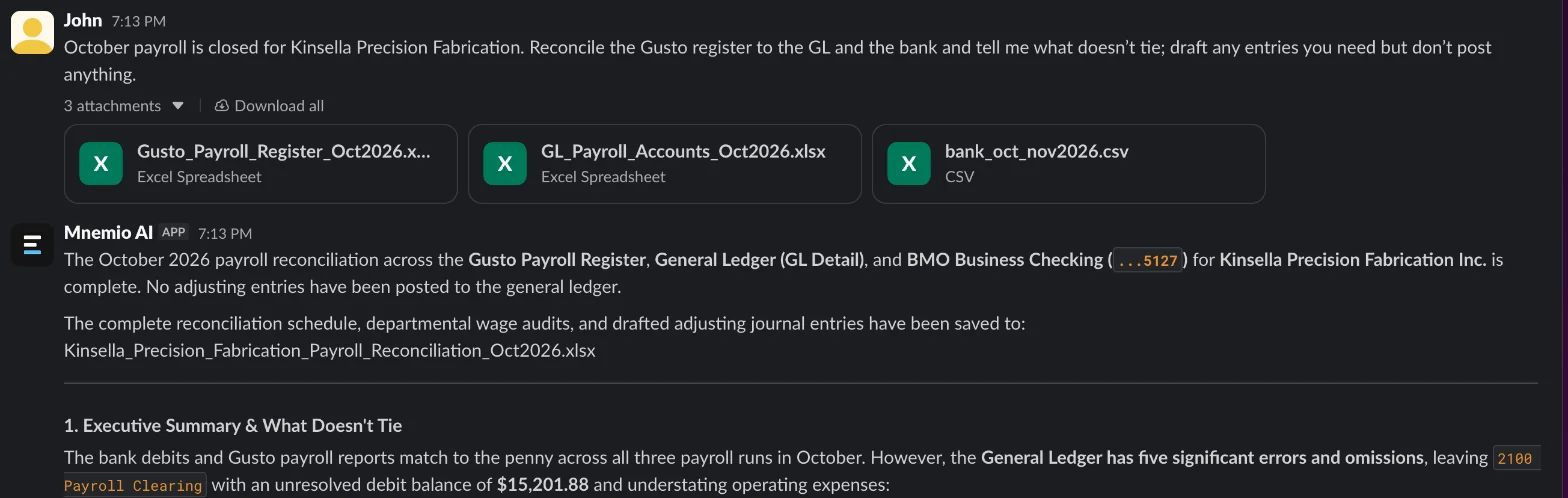
What the agent did
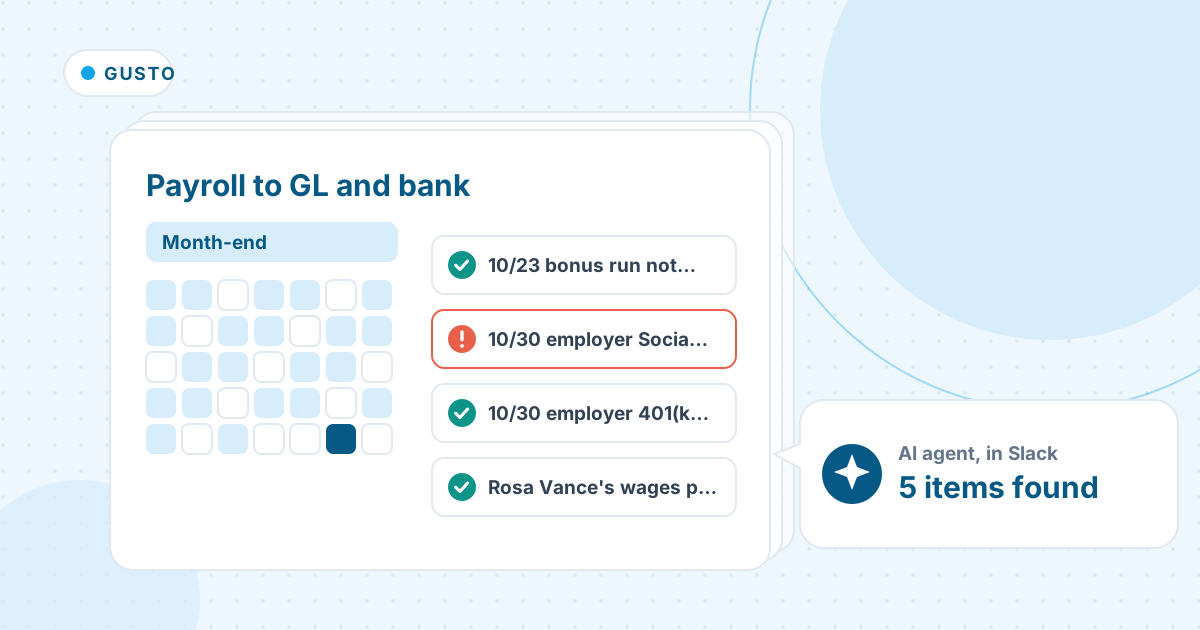
- Matched every Gusto withdrawal in the bank to its payroll run: $190,188.88 of net pay and $75,744.73 of taxes, to the cent.
- Found the 10/23 bonus run in the bank and the register but not in the ledger, which is why Payroll Clearing was left at a $15,201.88 debit.
- Compared the 10/30 journal line by line with the register and found employer Social Security keyed $400.00 short and the $3,934.05 401(k) match left out.
- Checked wages by department and found Rosa Vance's $6,000.00 still posted to Sales, and a $386.40 mileage reimbursement posted as wages.
- Matched the three 401(k) remittances to their payrolls, so the one paid on 3 November shows as timing, not an error.
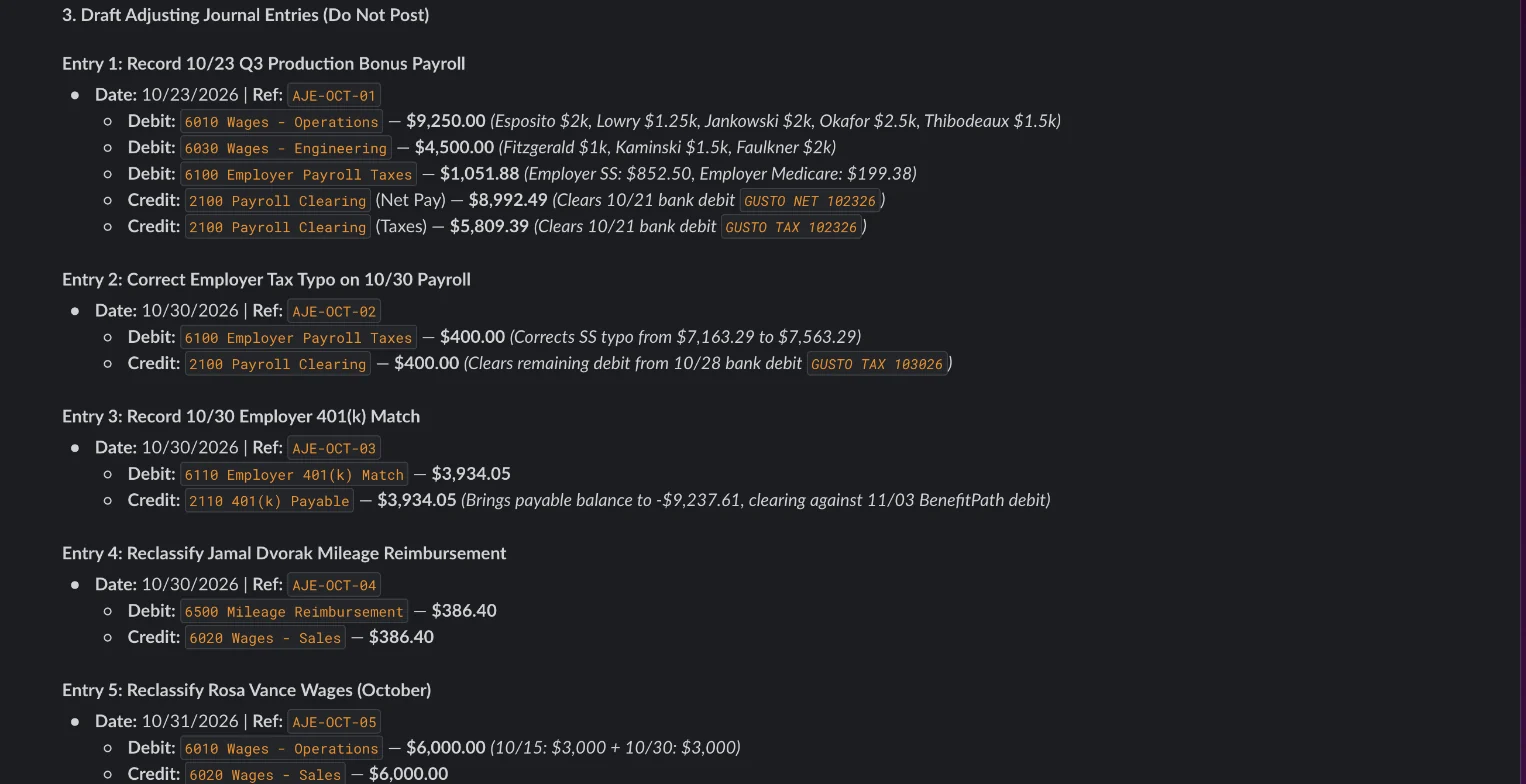
- Drafted five entries that bring every account to the register, and posted nothing. This one needed no follow-up.
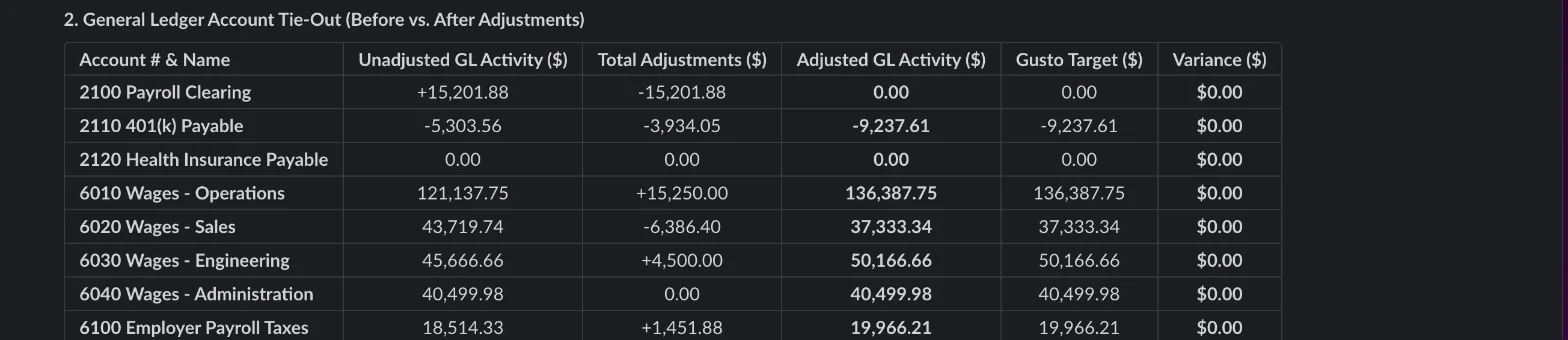
What it found
| What doesn't tie | Amount ($) | Draft entry |
|---|---|---|
| 10/23 bonus run not in the GL (gross 13,750.00 plus employer taxes) | 14,801.88 | Post the bonus payroll against Payroll Clearing |
| 10/30 employer Social Security keyed short | 400.00 | Dr Employer Payroll Taxes, Cr Payroll Clearing |
| 10/30 employer 401(k) match missing | 3,934.05 | Dr 401(k) Match, Cr 401(k) Payable |
| Rosa Vance's wages posted to Sales (she is in Operations) | 6,000.00 | Reclass to Wages - Operations |
| Mileage reimbursement posted as wages | 386.40 | Reclass to Mileage Reimbursement |

What you still check
- Each draft entry against the Gusto register before you post it.
- Why the bonus run didn't reach the ledger. Here the import from Gusto had been disconnected.
- The mapping for anyone who changed department, so next month's import is right.
- That the 401(k) remittance of 3 November clears 401(k) Payable to zero.
Questions accountants ask
Why doesn't payroll in the bank match payroll expense?
Because some payroll costs leave the bank later, such as retirement contributions remitted next month. Keep those as timing items in a liability roll-forward; they are not errors.
What should a payroll clearing account show at month-end?
Zero, once every payroll's journal and every provider withdrawal are posted. A balance left over points to a missing or mis-keyed journal, as the bonus run and the $400 were here.
Can the agent post the entries?
It drafts them and asks before it changes anything. Here it posted nothing, and each entry names its support so you can check it first.
Hand this job to an agent
Bring one of your own files to a 30-minute call and watch an agent do it.
Book a 30-min demo