Short answer: A three-way match checks each vendor invoice against the purchase order and the receiving record before you pay it. Billed quantity must not exceed what was received, and the price must agree with the PO within your tolerance. An invoice outside the policy, with no receipt, or already entered goes on hold until purchasing, receiving or the vendor sorts it out.
A three-way match sounds like one question: did we order it, did it arrive, and is this the bill for it. In practice it's a check on every invoice line. A short shipment, a price that crept up and an invoice sent twice all pass a test that only asks whether a PO number shows up on a receipt and an invoice.
Here is the Excel method from a recent tutorial, the line-level checks and exception steps that follow it, with what QuickBooks Online and Xero do, then how an AI agent would run the match each week.
The tutorial this is based on
Three-Way Order Matching in Excel | PO = GRN = Invoice? - Audit & Data Analysis by Nicholas Sikally, published 27 November 2025. A clear Excel build for audit and data-analysis students: three lists (purchase orders, goods received notes and purchase invoices), an AND of two VLOOKUPs to find the POs that appear on both, IFERROR to blank out the misses, then the same build on Excel tables. It tests the PO number, which is the right first pass, so we added the line-by-line quantity and price checks, tolerances, partial receipts, duplicates and exception handling. Those concepts follow AP Now's three-way match explainer (March 2026).
How do you do a three-way match in accounts payable?
- Put the three documents in one workbook as three lists, as the tutorial does: purchase orders, goods received notes carrying the PO number, and purchase invoices with their invoice number and the PO they bill.
- Next to each PO, test whether it's on both other lists. The tutorial nests two exact-match VLOOKUPs in AND, with absolute ranges. With receipts in column D and invoices in column G:
=AND(VLOOKUP(A2,$D$2:$D$50,1,FALSE),VLOOKUP(A2,$G$2:$G$50,1,FALSE)). It returns TRUE, or #N/A when either lookup misses. - Wrap it in IFERROR,
=IFERROR(AND(…),""), so the misses show blank, and fill it down. Then, as in the tutorial's second build, turn the lists into Excel tables so new rows are picked up. Tip:COUNTIF($D$2:$D$50,A2)>0for each list, or XLOOKUP with a "not found" value, gives a plain TRUE or FALSE whether your PO numbers are numbers or carry letters. - Then check each invoice line, which is the three-way match proper: billed quantity no more than received, net of anything already billed, and unit price no more than the PO price. A PO-number test shows TRUE for 120 units billed against 100 received.
- Set the tolerance in the AP policy. There's no legal standard: the controller picks a percentage, a dollar cap per line or both, and usually allows none for billing more than was received. Check the terms too, and send charges not on the PO, such as freight, to the buyer.
- Bill partial receipts in the software. QuickBooks Online has purchase orders only in Plus and Advanced: add the PO to the bill, lower each line to what arrived, and the PO stays open. In Xero, edit the quantity on the bill from the approved PO, and close the PO short if the rest won't come. Neither records a separate receipt by default (Xero needs the Inventory Plus add-on), so the receipt usually comes from your log or signed packing slips.
- Check for duplicates first: the same vendor and invoice number once spaces, dots and leading zeros are stripped. Hold each exception, with a reason and an owner, until a corrected invoice, a credit memo or a confirmed receipt clears it, before the due date brings a second copy. AP Now's video advises against quietly paying the lower price: the vendor chases the short payment.
- Keep the steps in different hands: one person approves the PO, another receives the goods, AP matches and enters the bill, and someone else approves payment. Where the team is too small for that, the GAO's Green Book on internal control calls for other controls, so have the owner review every hold and payment run.
Two-way, three-way and four-way match: what each compares
| Match | Documents compared | Checks, within your tolerance | Typical use |
|---|---|---|---|
| Two-way | PO and invoice | Billed quantity no more than ordered; price no more than the PO's | Services, and items with no receiving record |
| Three-way | PO, receipt and invoice | Adds billed quantity no more than received | Goods and inventory |
| Four-way | PO, receipt, inspection record and invoice | Adds billed quantity no more than accepted | Goods that must pass inspection |
| Failed match | Whichever check failed | Outside tolerance, no receipt, or a duplicate | Held and unpaid until a corrected invoice, credit memo or receipt clears it |
A worked example: one week's invoices
A made-up Atlanta packaging distributor uses an illustrative policy: price up to 2% and $50 a line over the PO, billed quantity no more than received, freight to the buyer, and a hold when there's no receipt. The week's six invoices total $22,979.00.
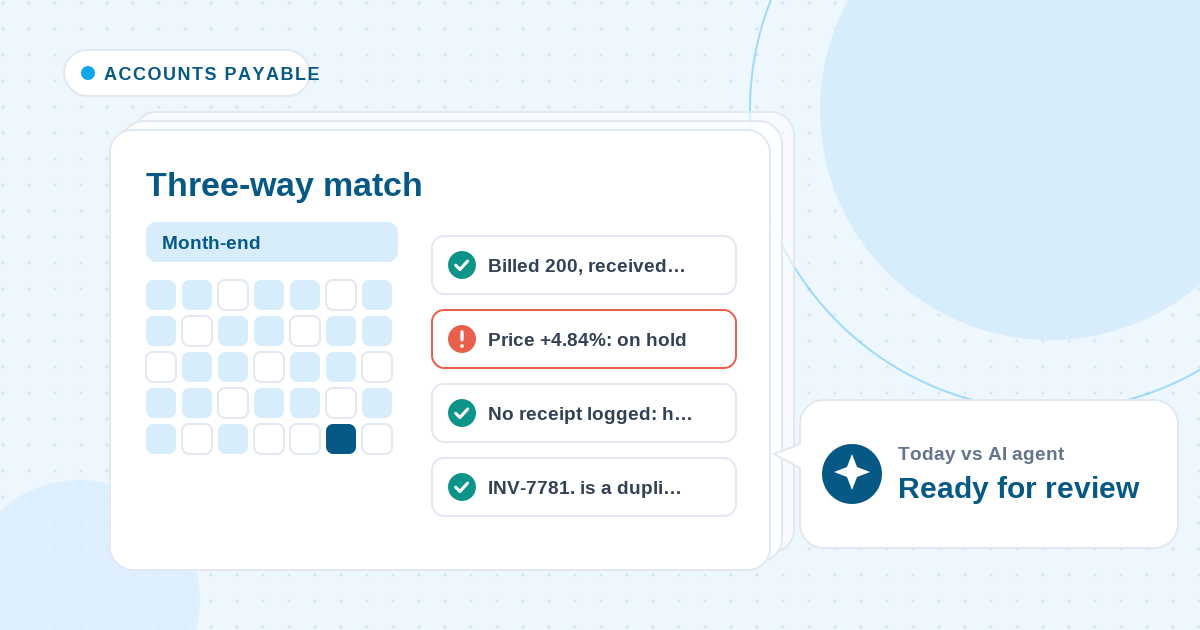
Vendor A's INV-7781, 100 cases at $42.00, matches: $4,200.00. Vendor C bills 40 cartridges at $66.10 against $65.00, 1.69% and $44.00 over, inside both limits: $2,644.00. Vendor B bills all 200 boxes on PO 4502 plus $85.00 of freight, $3,785.00, but 150 arrived. Vendor D bills 10 beams at $325.00 against $310.00, 4.84% and $150.00 over. Vendor E's $4,900.00 has no receipt. And INV-7781. arrives again from Vendor A, typed with a dot.
So $6,844.00 is ready for approval, $11,935.00 is on hold and $4,200.00 is blocked. Vendor B's corrected bill is $2,775.00 for the 150 boxes, or $2,860.00 if the buyer approves the freight, and 50 boxes ($925.00) stay open on the PO. A $150.00 credit memo brings Vendor D to $3,100.00, the PO price.
The tutorial's PO-number test marks POs 4501 to 4504 TRUE, B's over-billing and D's price included, and can't see the duplicate. POs 4505 and 4506 show blank. PO 4506 is 30 rolls of shrink wrap at $12.00, received with no invoice yet: $360.00 to accrue at month-end, as in accrued expenses.
Where it usually goes wrong
- Stopping at the PO-number test, which passes over-billing and price increases.
- Adding the whole PO to a bill in QuickBooks Online when only part arrived. It records the full quantity and closes the PO.
- Using Mark as billed in Xero to clear a PO. It closes the PO without creating a bill or updating tracked inventory.
- Trusting an exact invoice-number check, which a dot, a space or a leading zero gets past. See finding duplicate payments.
- Raising a PO after the invoice arrives, or widening the tolerance, to make an invoice fit.
- A receiving log copied from the packing slip, so the received quantity is the vendor's count, not yours.
How an AI agent does it
An AI agent here is an assistant each person on the AP team gets, in Slack, WhatsApp or a web app. It has its own files, spreadsheets and a real web browser, reads the PDFs and exports you give it, and writes its working in Excel. With QuickBooks Online or Xero it works from exports, or in the web app after you sign in yourself, and it never asks for a password in chat. It asks before it changes, posts or sends anything, and logs every step. It can be wrong, so the last sections say what you check.
What you give it
- Open purchase orders by line: QuickBooks Online's Open Purchase Order Detail report, or Xero's approved purchase orders.
- The receiving log: a warehouse spreadsheet, signed packing slips, or Xero Inventory Plus receipts.
- The week's vendor invoices, as PDFs.
- The bill history for the duplicate check, vendor terms and remit-to details, and your written tolerance policy.
What it does
- Reads each invoice's lines, charges, total and terms, and strips spaces, dots and leading zeros from the invoice number.
- Checks the bill history for the same vendor and number, or the same vendor, amount and date.
- Matches each line to its PO line and receipts: billed against received less already billed, price against your policy, the extensions, the terms and any charge not on the PO.
- Marks each invoice OK, hold or block, with the reason, the next step and an owner: purchasing for price, receiving for a missing receipt, the buyer for freight.
- Drafts vendor queries for a corrected invoice or a credit memo, for you to send.
- Prepares bills for the clean invoices. In Xero, with your yes and after you sign in, it creates them from the approved POs at the received quantities and leaves them as drafts. In QuickBooks Online, where saving a bill posts it, it hands you the bill details instead.
- At month-end, lists goods received but not invoiced, at the PO price. It keeps each client's policy in the firm's shared memory, and can run every Monday.
What it hands back
- A match workbook: one row per invoice line with quantities, prices, variance, status and reason.
- The exceptions list with owners and next steps, and draft vendor emails.
- Draft bills in Xero, or bill details for QuickBooks Online.
- Open PO quantities after partial receipts, and the received-not-invoiced list.
What it leaves to you
- Approve a bill, release a hold or pay anything.
- Set or widen the tolerance, accept a credit memo or close a PO short.
- Send vendor emails or change vendor records, above all bank or remit-to details, without your yes.
Today vs with an AI agent
| Step | Today | With an AI agent |
|---|---|---|
| Gathering the inputs | AP pulls the PO report, chases receiving for packing slips and opens each invoice. | You give it the open POs, the receiving log, the invoices, the bill history and the policy. |
| The working | An Excel lookup finds POs with a receipt and an invoice; lines are compared by eye. | It matches every invoice line to its PO line and receipts on quantity, price and terms. |
| The cross-checks | Prices spot-checked against the PO; invoice numbers searched in the bill history. | Billed against received, prices against the tolerance, stripped invoice numbers against the bill history. |
| Exceptions | Noted on the invoice, emailed to purchasing or receiving, tracked in a spreadsheet. | Each gets a status, a reason, an owner and a drafted vendor query. |
| The output | Bills keyed into QuickBooks Online or Xero, with held invoices left out. | A match workbook, an exceptions list, draft emails, and draft bills or bill details. |
| The review | The AP lead checks holds and bills before the payment run. | You check the holds, the variances it passed and the draft bills. |
| Who signs off | The approver approves bills; the controller releases holds and payments. | The same people. It never approves, releases a hold or pays. |
What you still check
- That each PO was approved before the invoice date, not raised to fit it.
- Receipts backed by a signed packing slip, and a receiver who isn't the buyer or the AP clerk.
- The variances it passed, and that nobody widened the tolerance.
- Open quantities on part-billed POs, and POs closed, or closed short, once final.
- Near-duplicates, remit-to details, and the month-end accrual for goods received but not billed.
Questions accountants ask
What is a three-way match in accounts payable?
Before paying an invoice, AP checks it against the purchase order (what was ordered, at what price) and the receiving record (what arrived). Billed quantity can't exceed what was received, and the price must agree with the PO within tolerance.
What is the difference between a two-way, three-way and four-way match?
A two-way match compares the invoice with the PO on quantity and price. A three-way match adds the receipt, so you pay only for what arrived. A four-way match adds an inspection record.
Does QuickBooks Online do a three-way match?
It gives you the pieces. In Plus and Advanced you can add a purchase order to a bill, bill part of it and leave the rest open. Intuit's help pages describe no tolerance check or exception queue, so comparing the bill with the receipt is up to you or an add-on.
What tolerance should a three-way match use?
There's no legal standard. The controller sets it in the AP policy, as a percentage, a dollar cap per line or both, usually with none for billing more than was received. The 2% and $50 above are only an illustration.
Does the agent approve or pay invoices?
No. It matches, flags and drafts. People approve the bills, release the holds and run the payments.
Hand this job to an agent
Bring one of your own files to a 30-minute call and watch an agent do this job.
Book a 30-min demo