Short answer: When employees have their own cards on one company card account, the bank pays only the main card, so each employee's sub-account in QuickBooks Online keeps growing unless you move its balance to the main card at the statement date. Post that entry, reconcile each sub-account to zero and the main card to the statement balance, and leave charges that post next month unticked. An AI agent can build the tick-list from the exports.
One statement, several cardholders, one payment: that is how most company cards work, and it is why sub-accounts in QuickBooks Online are hard to reconcile.
Here is the method from a recent tutorial, then an agent reconciling October for a roofing company with an owner's card and a project manager's card, with one follow-up.
The tutorial this is based on
How to Reconcile Credit Cards with Sub-Accounts in QuickBooks Online 2026 (Step-by-Step) by Sullivan & Grantham, PLLC, published 3 July 2026 (in English). A six-minute walk through a main card and an employee sub-card.
How do you reconcile a credit card with sub-accounts in QuickBooks Online?
- In Bank transactions, set up the card as a parent account with a sub-account for each employee's card.
- Record the card payment once, as a transfer from checking. When the payment comes through the checking feed, match it to that transfer instead of adding it again.
- Code every card line up to the statement date.
- The payment lands only on the main card, so at the statement date post a journal: debit the employee's sub-account and credit the main card for the sub-card's balance.
- Reconcile the sub-account to an ending balance of zero. Tick its charges and the journal; untick late charges that are not on this statement.
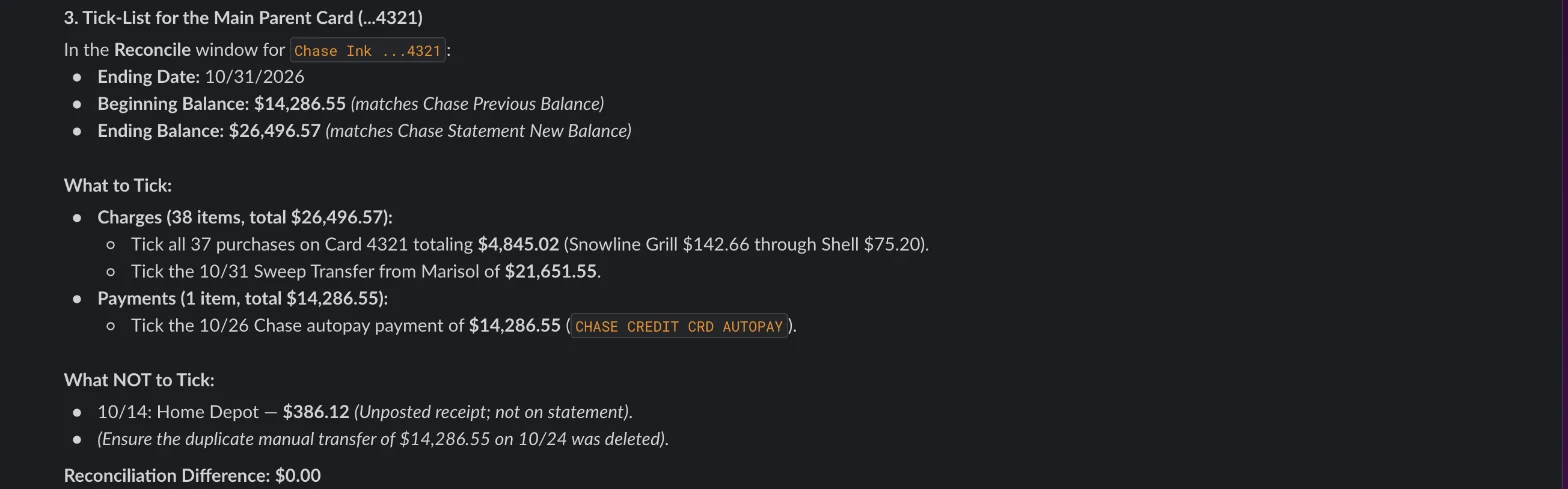
- Reconcile the main card to the statement balance. Tick its charges, the payment and the journal, untick what didn't post this period, and finish.
Where it usually goes wrong
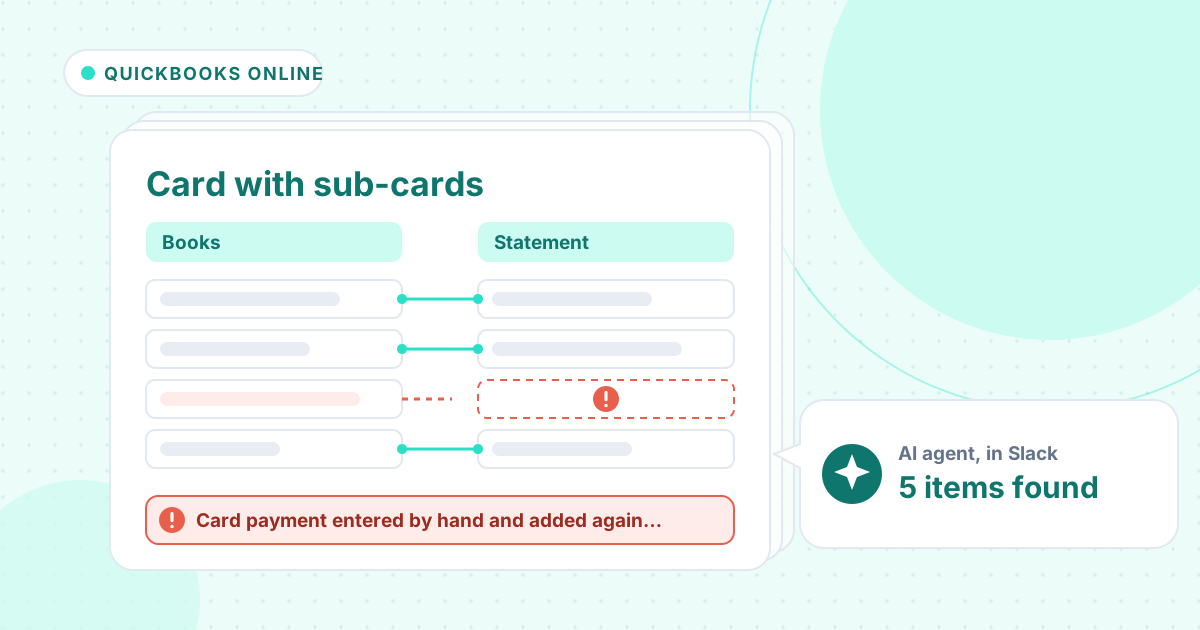
- The payment entered as a transfer and then added again from the checking feed.
- No month-end entry, so the sub-account keeps growing and the main card goes negative.
- An employee's charge keyed to the main card from a receipt.
- Charges from the last days of the month ticked although they post on next month's statement.
- A receipt in QuickBooks for a charge that is on no statement.
How an AI agent does it from Slack
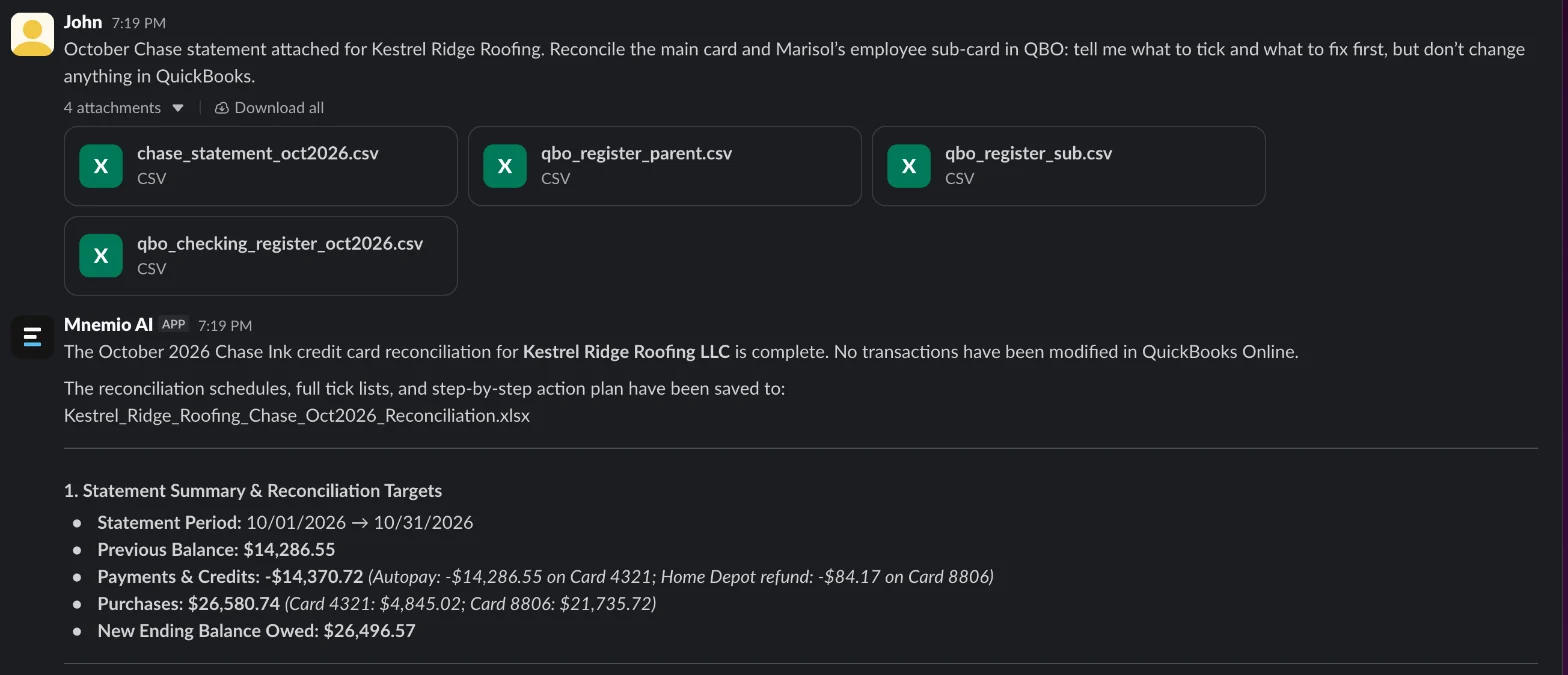
We gave the agent four exports for a made-up roofing company, Kestrel Ridge Roofing: October's Chase statement with a section for each cardholder, the QuickBooks registers for the main card and the project manager's sub-card, and the checking register. Every company, name, tax number and amount in these files is made up. The agent works in Slack, where it shows up as Mnemio AI, because Accountant AI is built on Mnemio AI.
What the agent did
- Split the statement by cardholder: $4,845.02 on the owner's card and $21,651.55 net on the project manager's card, for a new balance of $26,496.57.
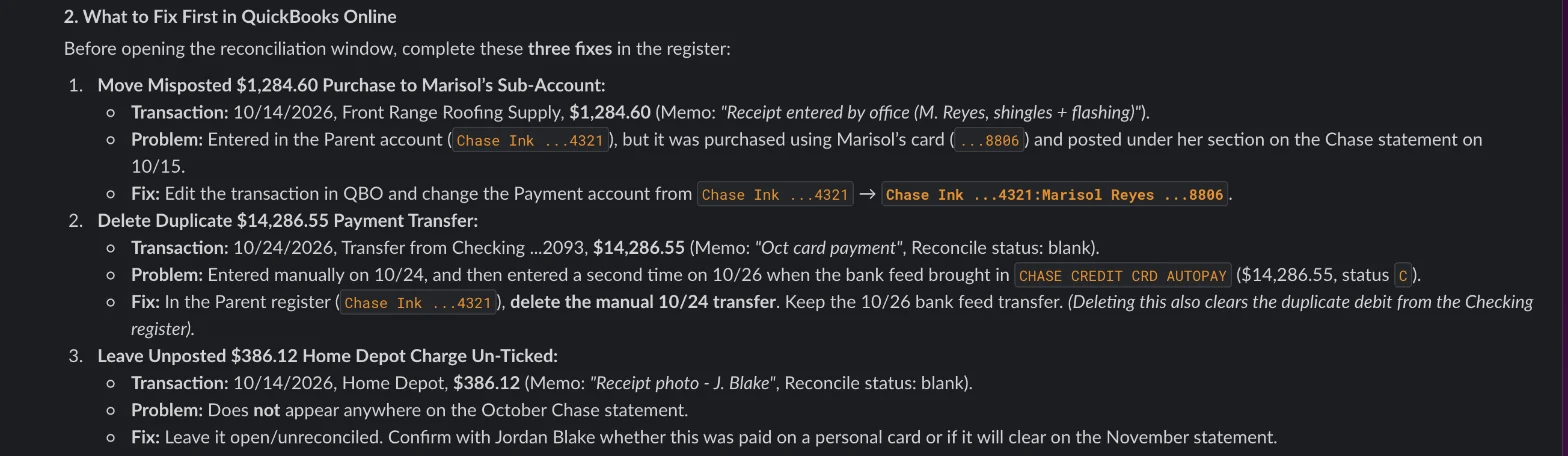
- Found the $1,284.60 charge keyed to the main card although it is in the project manager's section of the statement.
- Found the $14,286.55 payment twice, once entered by hand and once added from the checking feed, and kept one.
- Left a $386.12 receipt that is on no statement for the owner to explain, and two charges from 30 and 31 October that post in November.
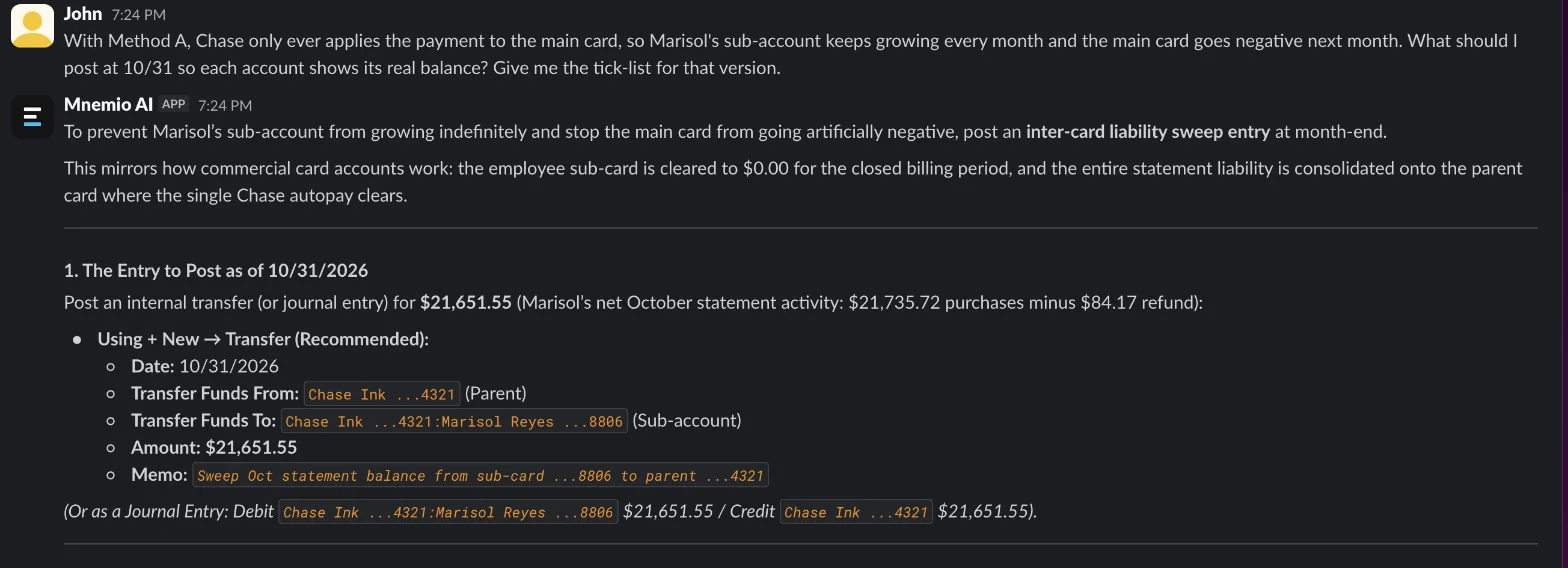
- Gave a first plan with no month-end entry. Asked how to stop the sub-card balance growing, it gave the $21,651.55 entry and tick-lists that bring the sub-card to zero and the main card to the statement balance.
- Changed nothing in QuickBooks; you tick the lines and press Finish.
What it found
| Item | Amount ($) | Fix |
|---|---|---|
| Card payment entered by hand and added again from the feed | 14,286.55 | Keep one payment |
| Employee's charge keyed to the main card | 1,284.60 | Move it to her sub-account |
| Sub-card balance, as the payment lands on the main card | 21,651.55 | Month-end entry: debit sub-account, credit main card |
| Charges from 30 and 31 October, posted in November | 1,015.13 | Leave unticked |
| Receipt for a charge on no statement | 386.12 | Leave unticked, ask the owner |
What you still check
- Which payment entry to keep, and that checking then shows the payment once.
- The $386.12 Home Depot receipt with the owner: another card, paid personally, or a duplicate.
- The month-end entry before each reconciliation, every month.
- The final difference in QuickBooks before you press Finish.
Questions accountants ask
Why does my credit card sub-account keep growing in QuickBooks Online?
Because the bank applies the payment to the main card only. Move each sub-card's statement balance to the main card at the statement date, with a journal or a transfer, and the sub-account reconciles to zero.
Can I reconcile the main card and the sub-cards together?
Intuit's community answers say that when you reconcile the parent account, all cardholders' transactions show in the reconcile window. The month-end entry keeps each account's balance right as well.
Can the agent tick the lines in QuickBooks?
Here it worked from exports and changed nothing. It can use a browser, where you sign in yourself, and it asks before it changes anything.
Hand this job to an agent
Bring one of your own files to a 30-minute call and watch an agent do it.
Book a 30-min demo