Short answer: To prepare a Saudi VAT return, total standard-rated, zero-rated and export sales, then domestic purchases, imports with VAT paid at customs and imported services under reverse charge. Leave customs duty out of the VAT, count reverse-charge VAT as both due and claimed, move costs dated after the period to the next return, and put corrections to earlier returns in box 14. An AI agent can prepare the working for you to file on ZATCA.
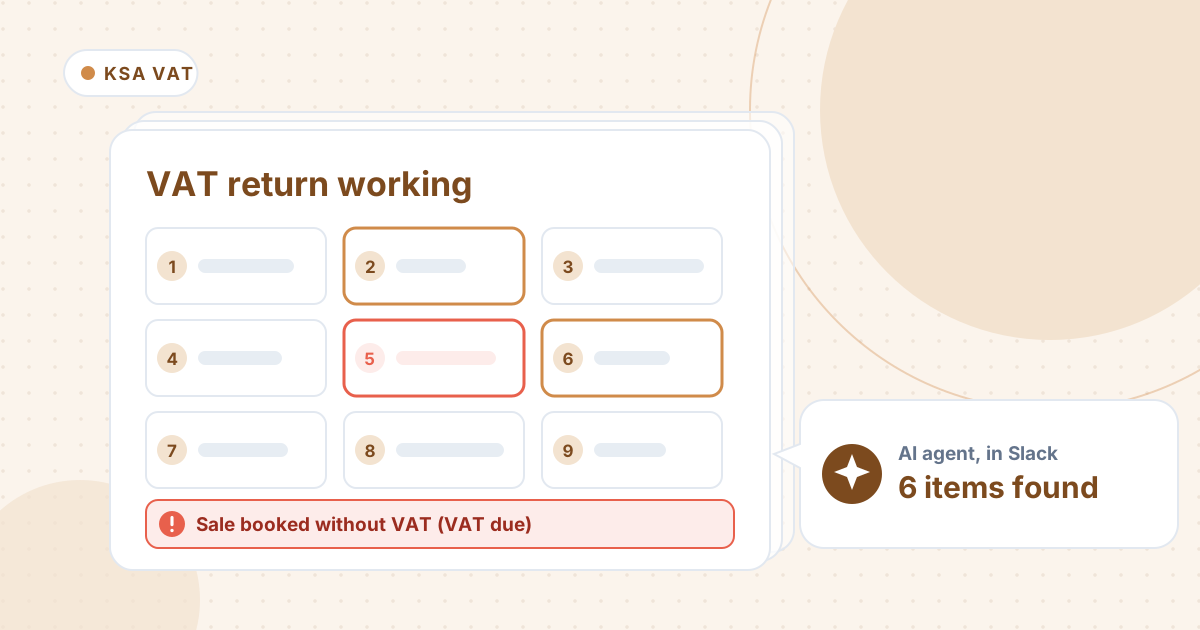
The Saudi VAT return has 16 boxes, and the totals fill themselves. The work is in the registers: a sale invoiced without VAT, duty mixed into customs VAT, a service from abroad with no reverse charge.
Here is the box-by-box method from a recent tutorial, then an agent preparing a distributor's October working, and the two follow-ups it needed.
The tutorial this is based on
Saudi VAT Filing Training (One-to-One) | Live Training = Basic + ZATCA Portal by CA M F Khan (Export & Global Tax Expert), published 1 June 2026 (in English). A recorded one-to-one session: the return box by box, then a walk through the ZATCA portal. We took the box structure from it and checked the rules against ZATCA's guidelines.
How do you prepare the Saudi VAT return?
- Build the working in Excel first, from the sales and purchase registers and the customs declarations.
- Sales: box 1 standard-rated sales, with credit notes as adjustments; box 2 private healthcare, private education and first homes sold to citizens; box 3 zero-rated domestic sales; box 4 exports; box 5 exempt sales. Box 6 totals them.
- Purchases: box 7 standard-rated domestic purchases; box 8 imports with VAT paid at customs (the VAT, not the duty); box 9 imported services under reverse charge; boxes 10 and 11 zero-rated and exempt purchases.
- The VAT in box 9 is both VAT due and VAT you can claim, so for a business that can claim all its input VAT it nets to nil.
- Leave out costs dated after the period end; they go in the next return.
- Box 14 takes corrections to earlier returns (the VAT amount only), and box 15 the credit brought forward.
- On the ZATCA portal, enter 0 in unused boxes, check the totals and the credit carried forward, then submit.
Where it usually goes wrong
- A sale invoiced without VAT because the price was agreed "excluding VAT". The VAT is still due.
- Customs duty entered as VAT in box 8.
- A service invoiced from abroad with no reverse charge booked.
- A purchase keyed gross in the net column.
- A bank fee dated after the period end.
- Reverse-charge VAT counted only as input, which turns a payment into a credit.
How an AI agent does it from Slack
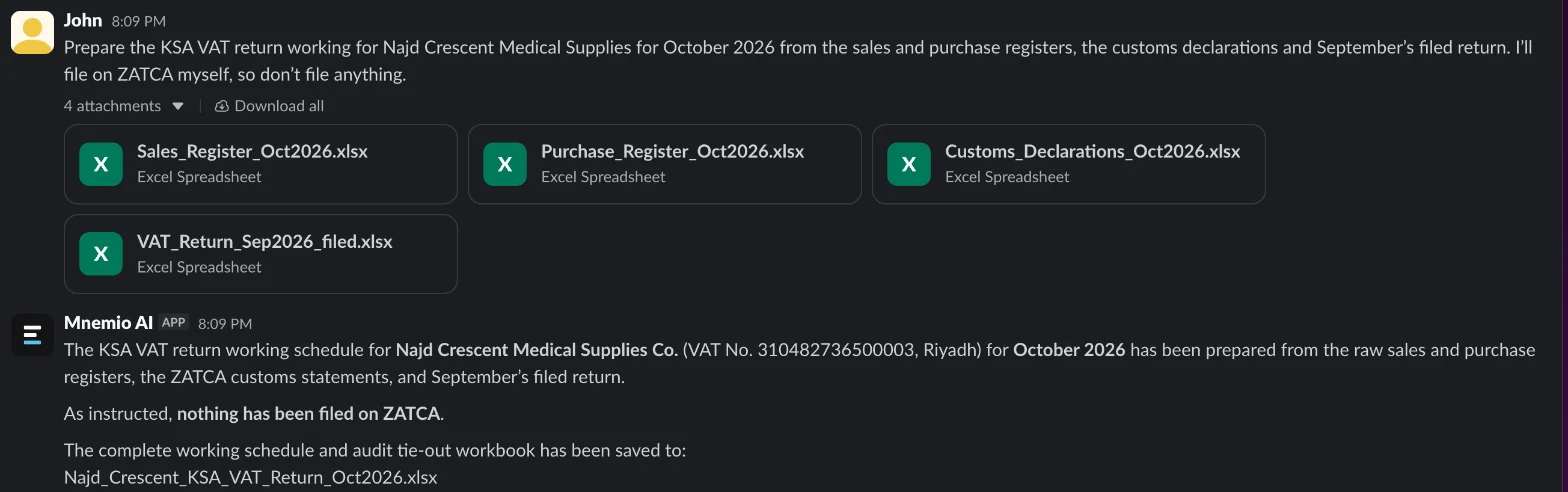
We gave the agent four files for a made-up Riyadh medical-supplies distributor, Najd Crescent Medical Supplies: October's sales and purchase registers, the customs declarations and the September return as filed. Every company, name, tax number and amount in these files is made up. The agent works in Slack, where it shows up as Mnemio AI, because Accountant AI is built on Mnemio AI.
What the agent did
- Worked out every box from the registers and the customs declarations, and saved the working as a workbook.
- Found a SAR 86,400 sale booked without VAT, added the SAR 12,960 of VAT due to box 1 and suggested a debit note to the customer.
- Took SAR 10,600 of customs duty out of the box 8 VAT, corrected a purchase keyed gross, and added the missing reverse charge on a SAR 64,000 consultancy invoiced from Dubai.
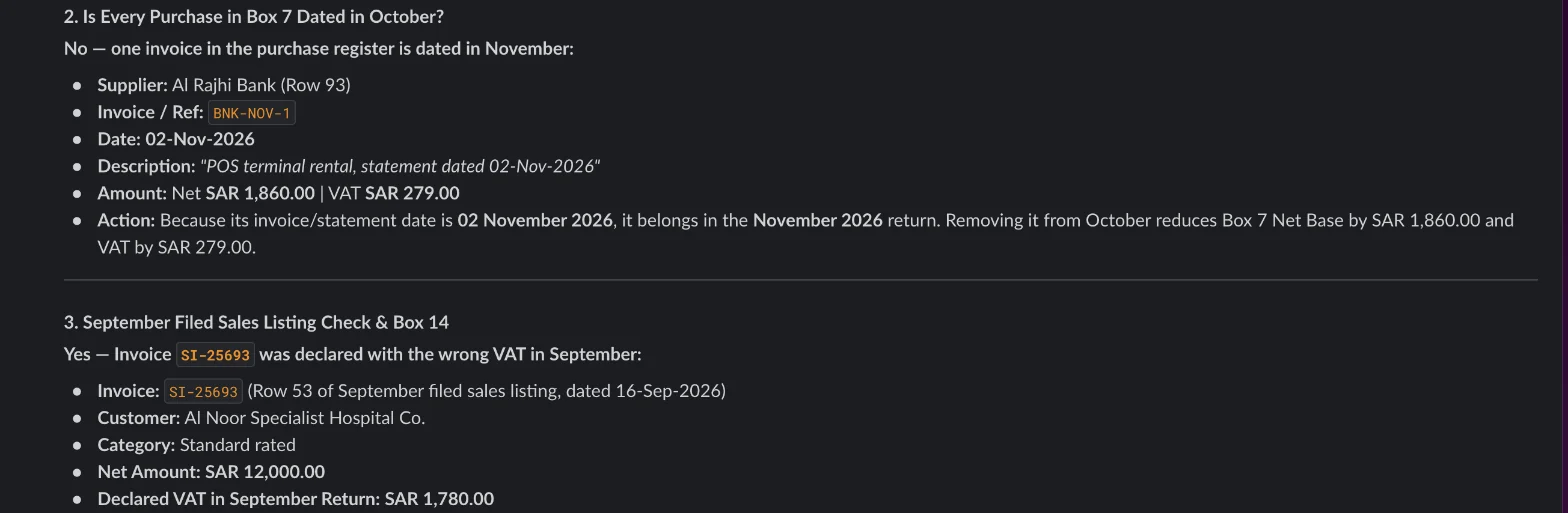
- Got three things wrong in its first reply: it kept a bank fee dated 2 November in box 7, missed a SAR 20 error in September's return, and counted the reverse-charge VAT only as input, which showed a credit of SAR 4,757.38.
- Asked to check those, it moved the bank fee to November and put the SAR 20 in box 14, but argued that the reverse charge was input only.
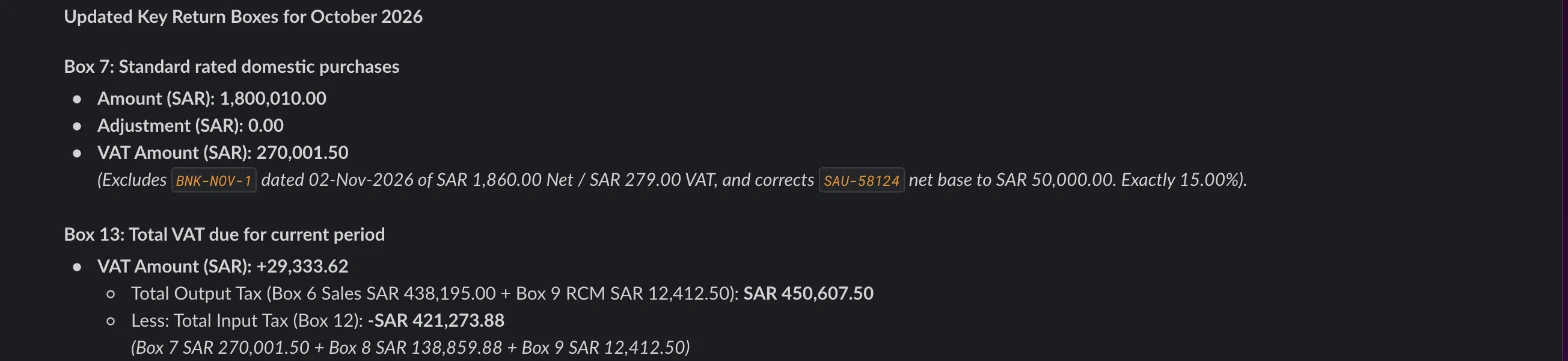
- Shown that September's filed return only adds up with the reverse charge counted as VAT due, it corrected box 13 to SAR 29,333.62 and box 16 to SAR 7,954.12 payable.

What it found
| What the agent found | SAR | Box |
|---|---|---|
| Sale booked without VAT (VAT due) | 12,960.00 | Box 1 |
| Customs duty entered as VAT | 10,600.00 | Box 8 |
| Dubai consultancy with no reverse charge (VAT) | 9,600.00 | Box 9, due and claimed |
| Purchase keyed gross (net overstated) | 7,500.00 | Box 7 |
| Bank fee dated 2 November (VAT) | 279.00 | November's return |
| September invoice declared short | 20.00 | Box 14 |
| Net VAT payable | 7,954.12 | Box 16 |

What you still check
- The debit note to the dental clinic for the SAR 12,960 of VAT.
- That the reverse charge shows on both sides on the portal before you submit.
- The limit for correcting an earlier return in box 14, against ZATCA's current rules. This correction is SAR 20.
- Any article the agent quotes, against ZATCA's own guidelines. It cited the VAT Law for a rule that is in the Implementing Regulations.
- The final figures on the ZATCA portal, which you enter and submit yourself.
Questions accountants ask
Does reverse charge change the VAT I pay?
Not for a business that can claim all its input VAT. The VAT in box 9 is both VAT due and VAT claimed, so it nets to nil. Counting only the claim turns a payment into a credit, as the agent's first reply did.
Where does customs duty go?
Not in the VAT. Box 8 takes the VAT paid at customs. The duty is part of the cost of the goods and of the value VAT is charged on.
Does the agent file on ZATCA?
No. It prepares the working and you file on the portal yourself. It asks before it changes or submits anything.
Hand this job to an agent
Bring one of your own files to a 30-minute call and watch an agent do it.
Book a 30-min demo