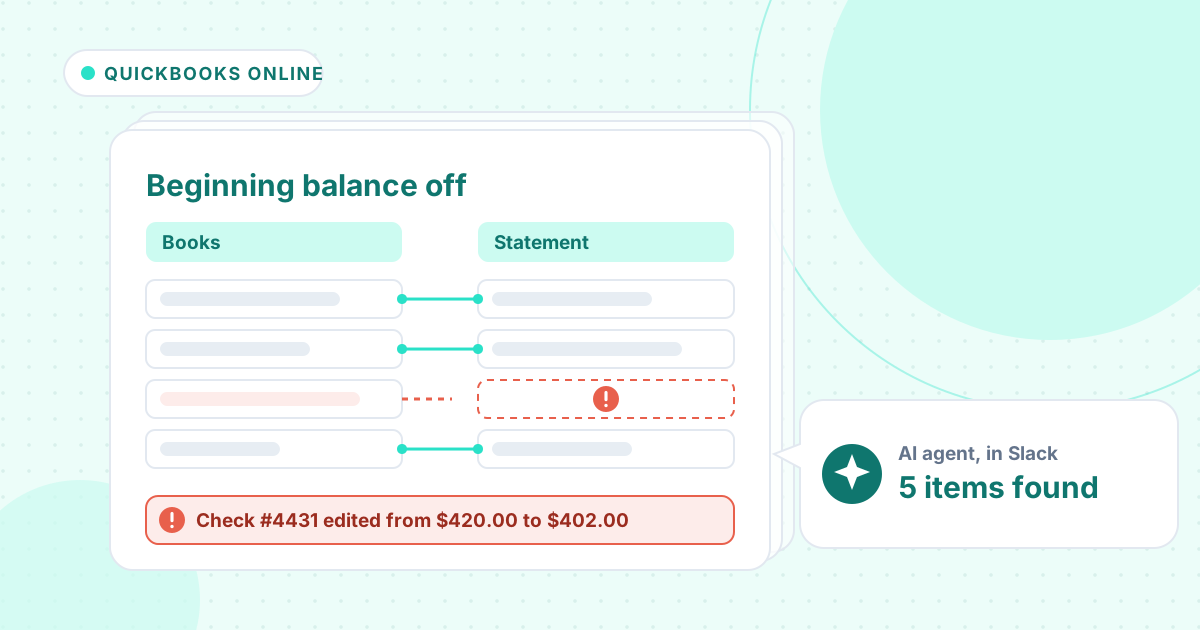
Short answer: When QuickBooks Online says an account isn't ready to reconcile, someone has changed a transaction that was already reconciled: edited the amount, deleted it, voided it, moved it to another account or changed its status. Find each change in the discrepancy report or audit log, check it against the bank statement and put it back. An AI agent can trace the changes from the exports.
The beginning balance of a reconciliation is the total of everything already marked reconciled. If it no longer matches last month's statement, a reconciled transaction has changed since.
Here is Intuit's own method, then an agent finding the five changes behind a $421.90 gap for a small dental lab, and one point where it needed a second look.
The tutorial this is based on
How to fix beginning balance issues when reconciling in QuickBooks Online by Intuit QuickBooks, published 15 September 2026 (in English). Intuit's four-minute guide to the discrepancy report.
How do you fix a beginning balance discrepancy in QuickBooks Online?
- Go to Settings, then Reconcile. The alert that the account isn't ready to reconcile means the beginning balance is off.
- Open the discrepancy report from the alert. It shows the total difference; the goal is zero.
- Read each row: who changed what and when, the amount at the last reconciliation, the amount now, and the status (R for reconciled, C for cleared).
- Before you fix anything you are unsure about, check the audit log (View history) and the bank statement.
- Fix each row: save the original amount, reverse a void, restore a deleted expense, set the status back to R, or recreate a deleted deposit.
- If you can't fix it row by row, do a mini reconciliation with the last statement's ending balance, or have the primary admin or accountant undo the reconciliation.
Where it usually goes wrong
- Shortening a cashed check to match the invoice. The bank paid the original amount; post a vendor credit for any overpayment instead.
- Voiding the wrong check when two checks to the same vendor have the same amount.
- Moving a reconciled expense to a credit card account because the receipt was confusing.
- Clicking a reconciled item's status by mistake, which changes it from R to C.
- Undoing a whole reconciliation when only one or two rows changed.
How an AI agent does it from Slack
We gave the agent four files for a made-up dental lab, Alder Bay Dental Lab: the August reconciliation report, an export of the checking register, the audit log and the August bank statement. Every company, name, tax number and amount in these files is made up. The agent works in Slack, where it shows up as Mnemio AI, because Accountant AI is built on Mnemio AI.
What the agent did
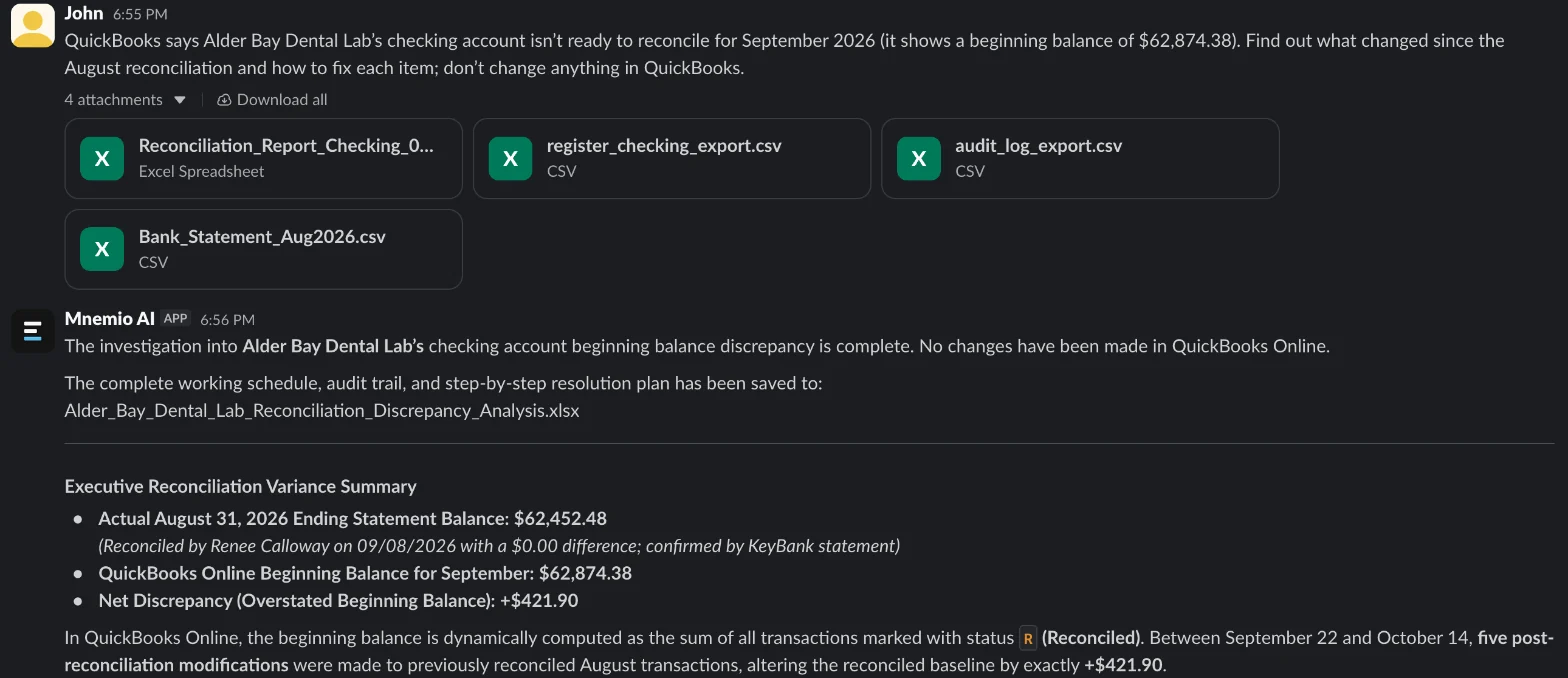
- Compared the August reconciliation report with the register as it is now, and worked out the $421.90 difference.
- Matched each difference to the audit log, with who made the change and when, and checked each one against the bank statement.
- Gave a fix for every change, and noted that a cashed check should never be shortened to match an invoice.
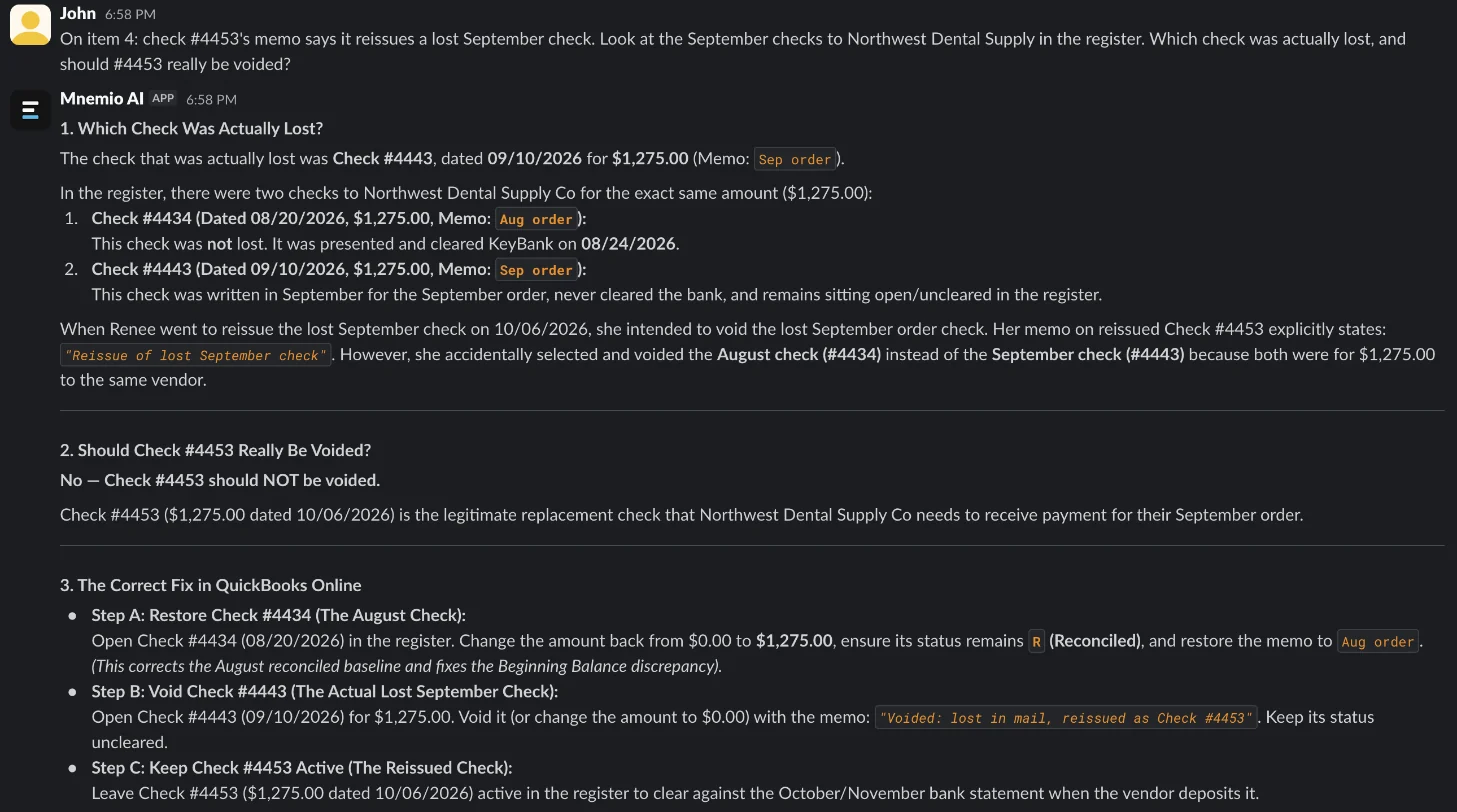
- Told us at first to void the reissued check #4453. Asked about the reissue memo, it found that the lost check was #4443, not #4434, and corrected the fix.
- Confirmed that after the five fixes the beginning balance returns to $62,452.48, and changed nothing in QuickBooks.
What it found
| Change since August | Effect on beginning balance ($) | Fix |
|---|---|---|
| Check #4431 edited from $420.00 to $402.00 | +18.00 | Change it back; the bank paid $420.00 |
| Deposit of $2,350.00 deleted | −2,350.00 | Recreate it and mark it R |
| Expense of $615.50 moved to the Amex account | +615.50 | Move it back to checking, mark it R |
| Check #4434 for $1,275.00 voided (it had cleared) | +1,275.00 | Restore it; void lost check #4443 instead |
| Utilities payment of $863.40 changed from R to C | +863.40 | Set it back to R |
| Total | +421.90 | Beginning balance back to $62,452.48 |
What you still check
- Each fix in QuickBooks, against the audit log, before you start September.
- With the bank, that check #4443 has not been paid, before you void it.
- Whether Pacific Dental Alloys owes the $18.00 back, which the edit to check #4431 was hiding.
- Who can edit reconciled transactions, so it doesn't happen again.
Questions accountants ask
Why does QuickBooks say the account isn't ready to reconcile?
Because the total of the transactions marked reconciled no longer matches the last statement's ending balance. Something reconciled has been edited, deleted, voided, moved or unmarked since.
Should I undo the last reconciliation?
Only if you can't find the changes. Fixing the rows keeps the history, and here five fixes brought the difference to zero.
Can the agent fix it in QuickBooks?
Here it worked from exports and changed nothing. It can use a browser, where you sign in yourself, and it asks before it changes anything.
Hand this job to an agent
Bring one of your own files to a 30-minute call and watch an agent do it.
Book a 30-min demo