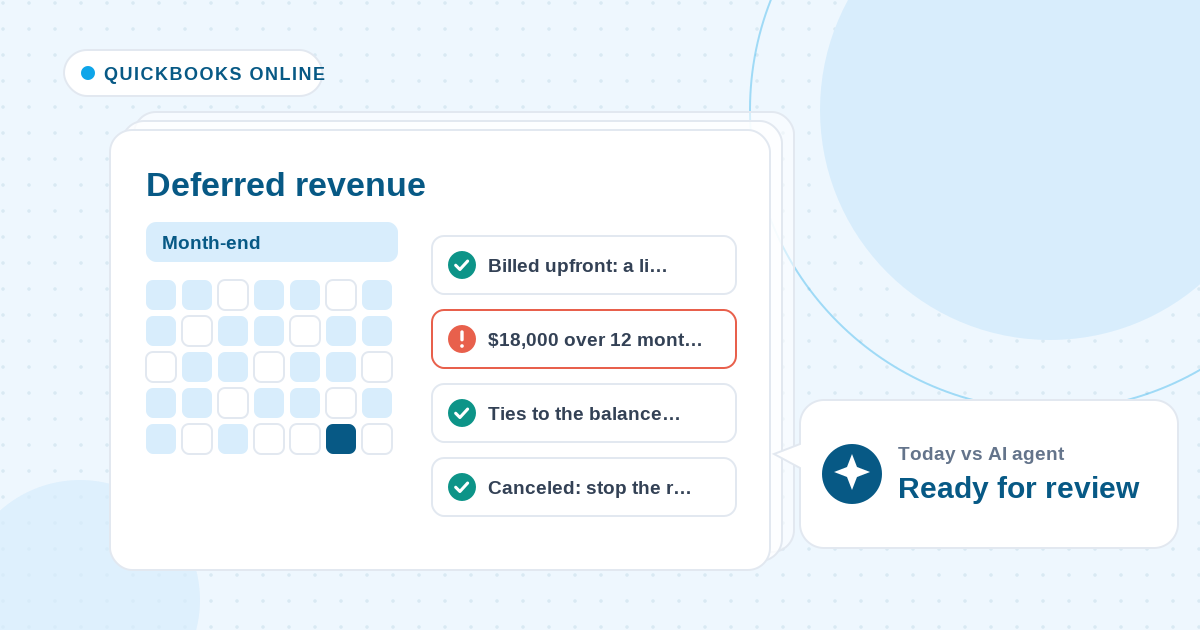
Short answer: Deferred revenue is money billed or received before you've earned it, so it sits as a liability until you deliver. For work delivered at a point in time, release it when you deliver. For a subscription or support plan, divide the amount by the months in the term and each month debit deferred revenue and credit revenue. Then roll the balance forward and tie it to the balance sheet.
Deferred revenue is easy to book on the day the invoice goes out and easy to forget after that. The trouble shows up months later: a liability nobody can explain, revenue that landed all in the month a customer paid, or a contract that was canceled but is still releasing revenue.
Here is the QuickBooks Online setup from a recent tutorial, plus the monthly schedule and journal entry it doesn't cover, then how an AI agent would keep the schedule and the roll-forward each month, and what stays with you.
The tutorial this is based on
How To Record Customer Deposits & Prepayments in QuickBooks Online (Step-by-Step) by Catherine Silverio - Silver Bullet Bookkeeping, published 20 January 2026. Shows why taking a prepayment with no invoice leaves a negative accounts receivable balance, then sets up a deferred revenue liability and a prepaid item in QuickBooks Online and moves the deposit to income when the work is delivered. It doesn't cover revenue earned over time, so we added the months × amount schedule, the monthly journal entry and the roll-forward. A video from Freelance accounting with Umesh (October 2026) shows QuickBooks Online Advanced building that schedule for you.
How do you record deferred revenue and release it each month?
- Create the liability account. The tutorial names it Customer Prepayments, with account type Other Current Liabilities and detail type Deferred Revenue.
- Create a service item, Prepaid Services, mapped to that liability. Keep your real service items mapped to income.
- Invoice the prepayment with the Prepaid Services item, then receive the payment against the invoice. Cash goes up and so does the liability.
- If you earn it on delivery, as in the tutorial: when the work is done, invoice the real service and add a negative Prepaid Services line, or apply a credit memo. That moves the amount from the liability to income.
- If you earn it over time, as with a subscription, a support plan or a retainer, build a schedule: one row per contract with the amount, the start date and the number of months, the monthly amount (amount ÷ months), and one column per month.
- At month-end, total the month's column and post one journal entry: debit deferred revenue, credit revenue. QuickBooks Online Advanced can post these from a revenue recognition template, as the backup video shows.
- Roll the balance forward: opening balance, plus new billings, less revenue released, equals the closing balance. The closing balance must equal both what's left on the schedule and the deferred revenue line on the balance sheet.
- At the reporting date, split what will be earned in the next 12 months (current) from the rest (non-current).
Deferred revenue journal entries in QuickBooks Online
| Event | Debit | Credit | In QuickBooks Online |
|---|---|---|---|
| Invoice a prepayment | Accounts receivable | Deferred revenue | Invoice with the Prepaid Services item |
| Customer pays | Bank (or Undeposited Funds) | Accounts receivable | Receive payment |
| Work delivered (point in time) | Deferred revenue | Service income | Invoice with a negative Prepaid Services line, or a credit memo |
| A month of a subscription passes | Deferred revenue | Subscription income | Journal entry from the schedule |
| Contract canceled and refunded | Deferred revenue | Bank | Refund receipt with the Prepaid Services item |
| Part earned after 12 months | Deferred revenue (current) | Deferred revenue (non-current) | Journal entry to a long-term liability account |
A worked example: November 2026
A made-up Ohio software company has three prepaid contracts. A is a 12-month subscription for $18,000, April 2026 to March 2027, so $1,500 a month. B is a six-month support plan for $4,200, September 2026 to February 2027, so $700 a month. C is a two-year subscription for $19,200 invoiced on November 1, 2026 and running to October 2028, so $800 a month.
On October 31 the schedule holds $7,500 for A (five months left) and $2,800 for B (four months left), $10,300 in all. November adds $19,200 for C. November's release is $1,500 + $700 + $800 = $3,000, so the journal entry on November 30 is debit deferred revenue $3,000, credit subscription income $3,000. The roll-forward is $10,300 plus $19,200 less $3,000 = $26,500, which equals what's left on the schedule: $6,000 for A, $2,100 for B and $18,400 for C.
The balance sheet shows $27,250. The $750 difference is a deposit for a one-off setup job, booked with the Prepaid Services item and earned when the work is delivered. It belongs on the schedule as its own line with no monthly release, and then the schedule ties at $27,250.
Of the $26,500 on the time-based schedule, $17,700 is earned in the next 12 months ($6,000, $2,100 and $9,600 of C), so $8,800 is non-current.
Where it usually goes wrong
- Taking a prepayment with no invoice. The tutorial shows it leaves an unapplied payment and a negative accounts receivable balance.
- The prepaid item mapped to income instead of the liability, so a year's subscription lands in the month it was billed.
- A schedule that never ties to the balance sheet because something was posted straight to the deferred revenue account, such as a credit memo on the wrong item.
- A canceled or refunded contract left on the schedule, so it keeps releasing revenue that was never earned.
- Mid-month start dates handled differently from one contract to the next. Pick one convention, a full month or daily proration, and use it for every contract.
- The whole balance shown as current when part of a multi-year contract is earned after 12 months.
- Mixing up deferred and accrued revenue. Deferred revenue is billed before it's earned and is a liability. Accrued revenue is earned before it's billed and is an asset.
How an AI agent does it
Here an AI agent means an assistant that each person on the team gets, used from Slack, WhatsApp or a web app. It has its own files, spreadsheets and a real web browser, reads the exports and PDFs you give it, and writes its working in Excel. It asks before it changes, posts, sends or files anything, and every step is logged. For QuickBooks Online it works from the reports you export, or in the web app in its browser after you sign in yourself. It never asks for a password in chat. This section describes how it would keep the deferred revenue schedule each month.
What you give it
- The general ledger detail for the deferred revenue account and the balance sheet at month-end, exported from QuickBooks Online or Xero.
- The month's invoices, credit memos and refunds that use the Prepaid Services item.
- The contracts or order forms, as PDFs, with the term and start date.
- Last month's schedule, if you have one.
What it does
- Reads each new prepaid invoice and finds the contract behind it: the amount, the start date, the number of months, and whether it's earned over time or on delivery. If a contract has no start date, it asks.
- Adds a row per new contract to the schedule, works out the monthly amount and fills the month columns to the end of the term.
- Takes canceled contracts off the schedule, from the month's credit memos and refunds, so their release stops.
- Totals the month's column and drafts the journal entry: debit deferred revenue, credit revenue, with a memo listing the contracts.
- Rolls the balance forward and ties the closing figure to the ledger and the balance sheet. Any difference goes on a list with the transactions that caused it.
- Splits the balance into current and non-current at the reporting date.
- If you approve the entry and sign in to QuickBooks Online in its browser, it enters the journal. Without that yes it posts nothing.
What it hands back
- The schedule workbook: one row per contract, one column per month, with the monthly release and what's left.
- The month's draft journal entry, ready for review.
- The roll-forward, tied to the balance sheet, with a list of differences.
- Questions: contracts with no term, invoices on the wrong item, and anything that looks like a delivery rather than a subscription.
What it leaves to you
- Decide when a contract is earned. Setup fees, milestones and contracts with several parts are your call.
- Post the journal entry, change an invoice or issue a credit memo without your yes.
- Refund or contact a customer.
- Choose your proration convention. It applies the one you set and remembers it for the client in the firm's shared memory.
Today vs with an AI agent
| Step | Today | With an AI agent |
|---|---|---|
| Gathering the inputs | Pull the deferred revenue ledger, the prepaid invoices and contracts, and open last month's schedule. | You give it the ledger, the month's prepaid invoices and credit memos, the contracts and last month's schedule. |
| The working | Add new contracts to the spreadsheet by hand, work out the monthly amounts and total the month's column. | It adds each new contract, fills the months to the end of the term and totals the month. |
| The cross-checks | Roll the balance forward and compare it with the balance sheet. | It ties the roll-forward to the ledger and the balance sheet and lists the transactions behind any gap. |
| Exceptions | Cancellations, missing start dates and invoices on the wrong item, found when the numbers don't tie. | It flags each one with the invoice or credit memo and asks about missing terms. |
| The output | A journal entry keyed into QuickBooks Online. | A draft journal entry and an updated schedule workbook. It enters the journal only after you approve. |
| The review | The controller looks over the schedule and the entry. | You check the draft entry, the differences list and any contract it questioned. |
| Who signs off | The accountant who posts the entry. | You. You approve the entry before it goes into QuickBooks Online. |
What you still check
- Whether each contract is earned over time or at a point in time. Under ASC 606, the US revenue standard, contracts with setup fees, several deliverables or usage pricing need your judgment before they go on a straight-line schedule.
- Each new contract against the signed order form: the amount, the start date and the term.
- Cancellations and refunds, and whether any part had already been earned.
- The tie to the balance sheet, and every item on the differences list.
- The draft journal entry before it's posted. The schedule also supports the deferred revenue line in your balance sheet reconciliation.
Questions accountants ask
Is deferred revenue a liability?
Yes. It's money billed or received for work you still owe the customer, so it's a liability until you deliver. It's usually current, but the part of a multi-year contract earned after 12 months is non-current.
What is the journal entry for deferred revenue?
When you bill: debit accounts receivable (or cash), credit deferred revenue. As you earn it: debit deferred revenue, credit revenue, by month for a subscription or on delivery for a project.
What is the difference between deferred revenue and accounts receivable?
Accounts receivable is what a customer owes you in money. Deferred revenue is what you owe the customer in work. An unpaid invoice for a prepayment creates both until the customer pays.
What is the difference between deferred revenue and accrued revenue?
Deferred revenue is billed before it's earned and sits as a liability. Accrued revenue is earned before it's billed and sits as an asset until you invoice.
What is a deferred revenue waterfall schedule?
A schedule with one row per contract and one column per month, showing how each contract's balance releases to revenue over its term. Each month's column total is that month's journal entry.
Does the agent post the entry?
Not without your yes. It drafts the entry and the schedule. After you approve and sign in, it can enter the journal in QuickBooks Online in its browser.
Hand this job to an agent
Bring one of your own files to a 30-minute call and watch an agent do this job.
Book a 30-min demo