Short answer: E-way bill generation is required before a registered person moves goods with a consignment value above ₹50,000, GST included. Part A carries the invoice, GSTINs, HSN codes, PIN codes and distance; Part B carries the vehicle or transport document. For many invoices, export them from TallyPrime as one JSON file and upload it on the portal's bulk generation screen. Validity is a day per 200 km.
One e-way bill is a form. Forty in a day is a data job: each invoice needs the right GSTIN, HSN code, distance and vehicle number, and one bad field stops that bill at upload.
This post follows a recent TallyPrime tutorial (export the pending invoices as one JSON file, then upload it on the portal) and adds the rules and checks it skips. Then it explains how an AI agent prepares and checks the file and fills in the portal up to the last step, leaving Generate to you.
The tutorial this is based on
E way bill kaise banaye | how to generate e way bill tally prime and portal 2026 by MY HINDI HELP, published 15 July 2026 (in Hindi). It shows three ways: TallyPrime sending the e-way bill directly (which needs TSS and API access), TallyPrime's offline JSON export uploaded on the portal, and one bill typed in on the portal. The demo uploads one invoice; this post uses the same export for many. Tally Solutions' TallyHelp video (1 December 2025) sends many vouchers at once from the Exchange menu, online. Its description says ₹50,000 or more; the rule is more than ₹50,000.
How does e-way bill generation in bulk work from TallyPrime?
- In TallyPrime, open the company's GST details and turn on e-way bill. Set the threshold, including any different limit your state sets within the state, and the HSN length: at least 6 digits if aggregate turnover is above ₹5 crore, otherwise 4.
- Enter each sales invoice with its e-way bill details: supply type and sub-type, document type, the consignee's GSTIN and PIN code, the ship-to address if different, the mode, distance, vehicle number and transporter ID.
- Take the distance from the portal's PIN-to-PIN tool, not Google Maps. The portal accepts up to 10% more than its own figure, and 1 to 100 km when both PIN codes are the same.
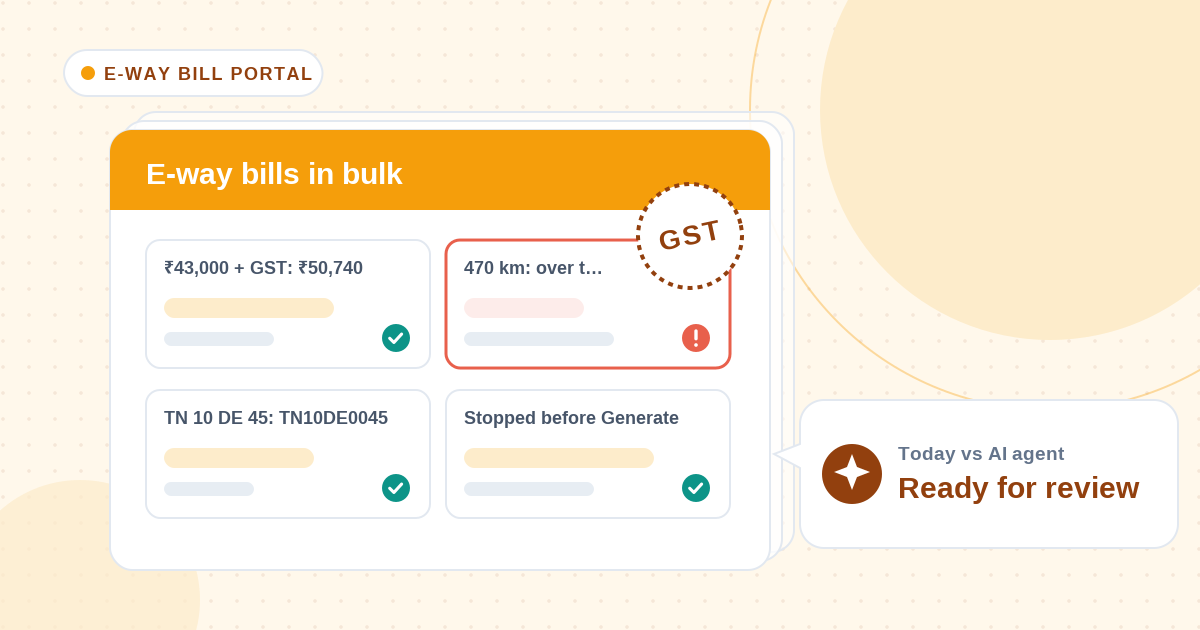
- Type vehicle numbers without spaces and with padded digits: TN 10 DE 45 is TN10DE0045. Temporary registrations start with TM. The portal checks numbers against the Vahan database.
- Open TallyPrime's e-way bill report, which lists every invoice still waiting for one. Select the invoices and export them offline as one JSON file. The portal's manual suggests no more than about 2,000 requests per file.
- Sign in on ewaybillgst.gov.in with your password and OTP (two-factor sign-in has been mandatory for all users since 1 April 2025). Open bulk generation in the e-Waybill menu and upload the JSON file. Check the rows it reads: invoice number, date, party GSTIN, state, vehicle, items.
- Generate. Each request without errors gets an e-way bill number; the rest show their error. Export the results to Excel, fix the failed invoices in Tally and export them again.
- Copy each number back to its invoice and print the e-way bill, with its QR code, for the driver.
- Without TallyPrime, use the portal's Excel JSON preparation tool. Its Bulk Generation Tools page marks new versions from 23 November 2026, with schema sheets that add Metro Rail as a mode and change the checks for ship and road-cum-ship. Copies in older videos are out of date.
E-way bill rules: who needs one, Part A and Part B, validity
| Rule | What applies |
|---|---|
| Who needs one | A registered person moving goods worth more than ₹50,000 a consignment: for a supply, for other reasons, or bought from an unregistered person |
| Consignment value | The goods' invoice value with GST and cess; not exempt goods on the same invoice, nor the transporter's freight |
| Below ₹50,000 | Still needed for job work and handicraft goods in specified cases. Some states set a different limit within the state |
| Who generates it | The consignor, the consignee or the transporter |
| Part A | GSTINs (URP if unregistered), document number and date, value, HSN codes, PIN codes, distance, reason |
| Part B | Vehicle number by road; transport document number and date by rail, air, ship or metro rail. Not needed under 50 km within the state to or from the transporter |
| Validity | A day for each 200 km or part; for over-dimensional cargo, a day per 20 km. Runs from the first Part B entry |
| Time limits | Document no more than 180 days old; cancel within 24 hours; extend within 8 hours of expiry, up to 360 days |
| HSN digits | At least 6 for B2B and exports if aggregate turnover is above ₹5 crore, otherwise at least 4 |
A worked example
A made-up Ludhiana wholesaler has three invoices for 25 November 2026, each with IGST at 18%. LW/2611 is ₹42,000 plus ₹7,560 tax, ₹49,560 in all: no e-way bill unless it is going for job work. LW/2612 is ₹43,000 plus ₹7,740, ₹50,740: it needs one, though its taxable value is under ₹50,000.
LW/2613 is ₹1,85,000 plus ₹33,300, ₹2,18,300, to a customer 412 km away by the portal's PIN-to-PIN figure. The transporter's 440 km is accepted, since the most allowed is 453 km; 470 km would be refused.
At 412 km it gets three days: 200, 200 and the 12 km left over. The first day ends at midnight after the day following generation, so an e-way bill generated on 25 November with Part B is valid until midnight at the end of 28 November.
Where it usually goes wrong
- Testing ₹50,000 on the taxable value. The limit is on the value with GST, so a ₹43,000 invoice can need an e-way bill.
- A Google Maps distance more than 10% above the portal's PIN-to-PIN figure. The portal won't accept it.
- A vehicle number with spaces, without padded digits, or missing from Vahan.
- A customer whose GSTIN is blocked for not filing GSTR-3B for two or more consecutive periods. It can't be used as consignor or consignee.
- A wrong field on a generated e-way bill. It can't be edited: cancel within 24 hours and make a new one.
- An invoice more than 180 days old. The portal won't generate against it.
- An old copy of the portal's Excel JSON tool. It has new versions from 23 November 2026.
How an AI agent does it
Here an AI agent is an assistant each person on the team gets, used from Slack, WhatsApp or a web app. It has its own files, spreadsheets and a web browser, and reads the Tally exports you give it. On the e-way bill portal you sign in yourself in its browser window, with your password and OTP; it never asks for a password in chat. This section describes how it would prepare a day's e-way bills. It asks before it changes or submits anything, logs every step and keeps each client's rules in shared memory.
What you give it
- The day's sales register or TallyPrime's e-way bill report in Excel, or the JSON file Tally exported.
- The customer master with GSTINs and PIN codes, and your HSN list.
- The dispatch sheet: which invoice goes on which vehicle, and the transporter ID.
- The firm's rules, saved once: your state's limit, the HSN digits for your turnover, regular routes and their distances.
What it does
- Picks the invoices that need an e-way bill (value with GST above ₹50,000, plus job work and any case you have named) and lists the rest with the reason.
- Checks each GSTIN's format and check digit, and lists customers to check for a blocked GSTIN.
- Checks HSN codes against your list and the digits your turnover needs, and flags invoices with only service codes: an e-way bill needs at least one goods HSN.
- Checks each distance against the PIN-to-PIN figure saved for that route and flags any more than 10% above it. New routes go on a list for a person to look up.
- Checks each road invoice has a vehicle number in the portal's format or a transporter ID, and each rail, air, ship or metro rail invoice a transport document number and date. Document dates must be within 180 days, and document numbers at most 16 characters.
- Writes the bulk JSON file in the portal's schema, or checks the one Tally exported, with an Excel list of every request.
- After you sign in on the portal in its browser, opens bulk generation, uploads the file, checks the rows the portal reads against the register, and stops before Generate.
What it hands back
- A dispatch list: each invoice, whether it needs an e-way bill and why, with distance, vehicle and transporter ID.
- An exceptions list: each row that would fail, the field and the fix.
- The checked JSON file, uploaded and waiting for your Generate click.
- Afterwards, a sheet matching each e-way bill number to its invoice, for your team to update in Tally.
What it leaves to you
- It never clicks Generate. You do, after checking the rows.
- It doesn't sign in for you. You sign in with your own password and OTP.
- It doesn't cancel, extend or change an e-way bill, or post into Tally.
- It doesn't decide judgement calls: supply or job work, a bill-to/ship-to case, your state's own limit.
Today vs with an AI agent
| Step | Today | With an AI agent |
|---|---|---|
| Gathering the inputs | Someone exports pending invoices from TallyPrime and chases vehicle numbers from dispatch. | You give it the register, customer master and dispatch sheet. It lists which invoices need one. |
| The working | E-way bill details keyed into each Tally invoice, then one JSON export. | It fills vehicle and transporter details from the dispatch sheet and writes or checks the JSON file. |
| The cross-checks | Usually none until the portal rejects a row. | GSTIN format, HSN digits, distance within 10%, vehicle format, transporter ID and document dates, row by row. |
| Exceptions | Found at upload, fixed in Tally, exported again. | Listed before upload, with the field and the fix. |
| The output | E-way bill numbers copied back by hand and printed for drivers. | A checked file uploaded and stopped before Generate, then numbers matched to invoices. |
| The review | The dispatch or accounts person scans the rows on the portal. | You review the exceptions list and the rows the portal read. |
| Who signs off | Whoever clicks Generate on the portal. | You. You sign in and you click Generate. |
What you still check
- The reason for movement for anything that isn't a plain sale: job work, branch transfer, sales return, bill-to/ship-to.
- Your state's own limit within the state, and whether it has changed.
- Customers flagged for a blocked GSTIN, before the goods are loaded.
- The rows on the portal against the dispatch sheet, before you click Generate.
- Over-dimensional cargo: a day per 20 km, and the vehicle type must say so.
- At month end, e-way bills against sales in GSTR-1, with the GSTR-1 reconciliation.
Questions accountants ask
Where do I download the bulk e-way bill generation tool?
On ewaybillgst.gov.in, under Tools, Bulk Generation Tools. The e-way bill, consolidated e-way bill and vehicle number JSON preparation tools are marked new from 23 November 2026, so replace any older copy.
How do I upload an e-way bill JSON file?
Sign in with your password and OTP, open bulk generation in the e-Waybill menu and upload the file. Check the rows, then generate. Requests with errors are listed for you to fix and upload again.
Can TallyPrime do e-way bill generation in bulk?
Yes. With TSS and API access it sends many invoices from the Exchange menu. Without them, export the pending invoices as one JSON file and upload it on the portal.
What is the time limit for e-way bill generation?
Before the goods move, against a document no more than 180 days old. It is valid a day per 200 km and can be cancelled within 24 hours.
Does the agent generate the e-way bills?
No. After you sign in in its browser, it uploads the checked file and stops before Generate. You click Generate.
Hand this job to an agent
Bring one of your own files to a 30-minute call and watch an agent do this job.
Book a 30-min demo